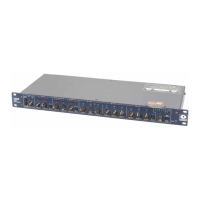
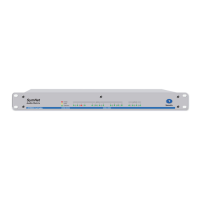
421m
8
Operation Chapter 5
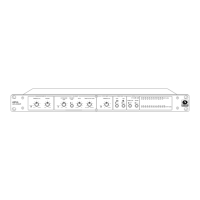
Set the front panel controls as follows:
Initial Setup
DOWNWARD EXPANDER THRESHOLD Bypass
DOWNWARD EXPANDER RELEASE Straight up
AGC-LEVELER AUTO-RELEASE LEVEL Straight up
RECOVERY RATE In
RATIO 4:1
TARGET OUTPUT Straight up
SPEECH CURVE (125 Hz) Out
SPEECH CURVE (6kHz) Out
Apply an input signal to the 421m. Observe the input and output meters; there should be activity.
The input meter reads the actual input signal. The output meter reads the actual output signal.
Both meters are peak responding and are calibrated in VU (0 VU = +4 dBu = 1.23V RMS).
Set the AGC-Leveler by first adjusting the TARGET OUTPUT LEVEL control for the output level
required. Next, decrease the setting of the RATIO control until you obtain the desired amount of
dynamic range reduction. Speech tolerates higher ratios than music. Use a higher ratio (4:1) for
stronger leveling action. The difference between the two meters shows what the 421m is doing. Re-
member that a 1:1 ratio setting amounts to BYPASS for the AGC-Leveler. Set the RECOVERY RATE
button as required by the program material (starting point: FAST = speech, SLOW = music, SLOW
= speech and music).
In sound reinforcement applications, set the AUTO-RELEASE LEVEL control to limit the pickup
range of the microphone. Lower (more CCW) settings will increase the pickup range (the level
setting is lower, therefore the AGC-Leveler will track lower level signals), and higher settings will
force the user to be more on-mike.
In recording, broadcast or tape duplication applications, the AUTO-RELEASE LEVEL control sets
the minimum signal level that the AGC-Leveler will track. If the input signal is music with a long
fade, the AGC-Leveler interprets the fade as a decrease in signal level and raises the gain to try to
maintain the level set by the TARGET OUTPUT LEVEL control. In effect, the AGC-Leveler un-
does the fade, which may or may not be allowable. The AUTO-RELEASE LEVEL control sets how
far the signal level can fall before the AGC-Leveler stops trying to raise the gain. More CCW set-
tings lower this level, which may be what you want if you re trying to recreate the long piano chord
heard at the end of the Beatles song, "A Day In The Life".
Set the downward expander during program pauses to minimize noise buildup by adjusting the
Threshold control until the expand activity LED illuminates. Set the RELEASE control for the de-
sired release rate.
Use the AUTO position of the DOWNWARD EXPANDER THRESHOLD control for situations
where the input signal is noisy (hum, hiss, or feedback). In AUTO mode the expander tracks the
AGC-Leveler s internal auto-release monitor. When the AGC-Leveler releases, the expander begins
working at the rate set by the RELEASE control. If the input signal contains acoustic feedback, and
nothing else above the auto release hold, the auto-release monitor ignores it, which effectively
stops the feedback before it has a chance to grow into something potentially damaging.
Set the OUTPUT LIMITER by adjusting the THRESHOLD control either for the absolute maximum
output level desired (as read on the threshold control s panel scale) or as indicated on the peak-re-
sponding output meter.
Set the SPEECH CURVE buttons as necessary and as required by the situation. The 125Hz button
removes ’’boominess’’ and some of the proximity effect caused by close-talking a single-D cardioid
microphone (such as a Shure SM-58), without making voices sound thin. The 6kHz button removes
sibilance and high-frequency feedback without causing telephone voice.


 To Next Page