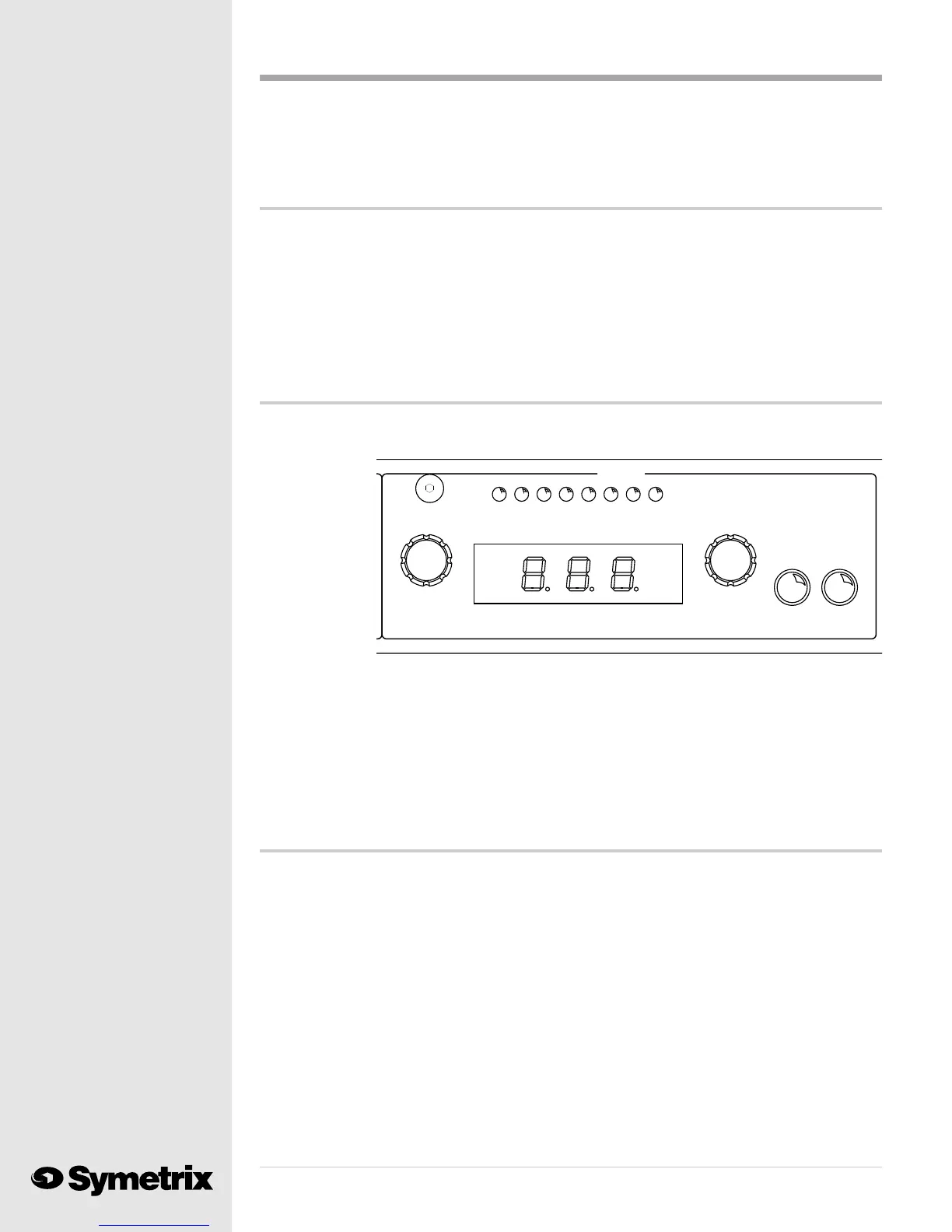
628
8
MASTER
SAVELOAD
NUMBER
PRESET
HEADROOM (dB)
LEVEL
OUTPUT
42028 24 1216 8 CLIP
Preset selection ...
Selecting a processing preset on the 628 is very simple. The MASTER numeric display normally
shows the preset currently in use. To change to a different preset, turn the PRESET NUMBER
knob until the
desired preset
number appears
in the window.
The preset
number will
flash indicating
that it has been
selected but not
yet loaded.
Push the LOAD
button to the
right of the PRESET NUMBER knob. Now the window will display the preset number without
flashing, indicating that the 628 has loaded the new preset.
When you unpack your 628, you will find programs 1 through 119 blank. We shipped your 628
with the parameters at these presets set for unity gain with no processing. You will find the pre-
programmed factory presets at positions 120 through 127. We programmed these as read only
programs; they cannot be changed. You may move them to more convenient locations and then
make any required changes. Heres how:
Moving a preset program ...
Should you need to copy an existing preset program to a different preset number, you will need to
learn about the SAVE button. This function instructs the 628 to save changes to the selected
preset. First, select and load the program which you want to copy. Second, turn the PRESET
NUMBER knob until the MASTER display shows the location where you wish to copy the loaded
program; the display will flash the number. Third, push the SAVE button; the MASTER display
will show the flashing letters "Sto" (Store). Push the SAVE button again and the 628 will copy the
selected preset program to the new location.
Until you press the SAVE button the second time the preset program will not be copied tot he new
location. This gives you a second chance in the event that the SAVE button is accidently pushed
in the heat of processing. The first push of the SAVE button arms the 628 to make a change and
displays "Sto" in the MASTER display window. The second push permanently records the
change.
Note: Do not try to use the RC-1 Remote Control to select the target location where you want to
copy the preset program. Pushing a button on the RC-1 accomplishes TWO functions.
Those of you using other MIDI control devices with the 628 will know what to do with the MIDI IN
jack, the MIDI OUT/THRU jack and the MIDI CHANNEL SELECT switch. Youll find instruction
in the manual which came with your MIDI controller.
Copying programs between units with MIDI ...
Heres a neat MIDI trick for users of multiple 628s who want all of their units programmed alike.
You can set all programs and parameters manually or you can use MIDI to copy all programs from
one 628 to another. You will need a standard MIDI cable, or 5 pin DIN cable, connected between
the MIDI OUT/THRU connector of your programmed unit (master) and the MIDI/IN connector of
the unit which you want to program (slave). Both units must be on and the MIDI CHANNEL
SELECT switches must be in the Channel #1 position. Push the MIDI PROGRAM DUMP button
on the programmed unit (master). All programs will be downloaded to the slave unit. You can now
disconnect the MIDI cable from the two 628s.



 To Next Page