628
7
LISTED
OMMERCIAL
EQUIP. 2T38
POWER IN FROM
SYMETRIX 628
MIDI OUT
LARITY
TS D.C.
RING -
CHANNEL 1
SELECT
REMOTE CONTROL
MIDIMIDI
PROCESSOR
DIGITAL VOICE
MIDI OUT/THRU
MIDI/RC-1 IN
SELECT
14
13
12
DUMP
16
1
10
9
5
4
3
7
6
8
2
15
11
OD, WA, USA
CHANNELPROGRAM
Remote control & MIDI ...
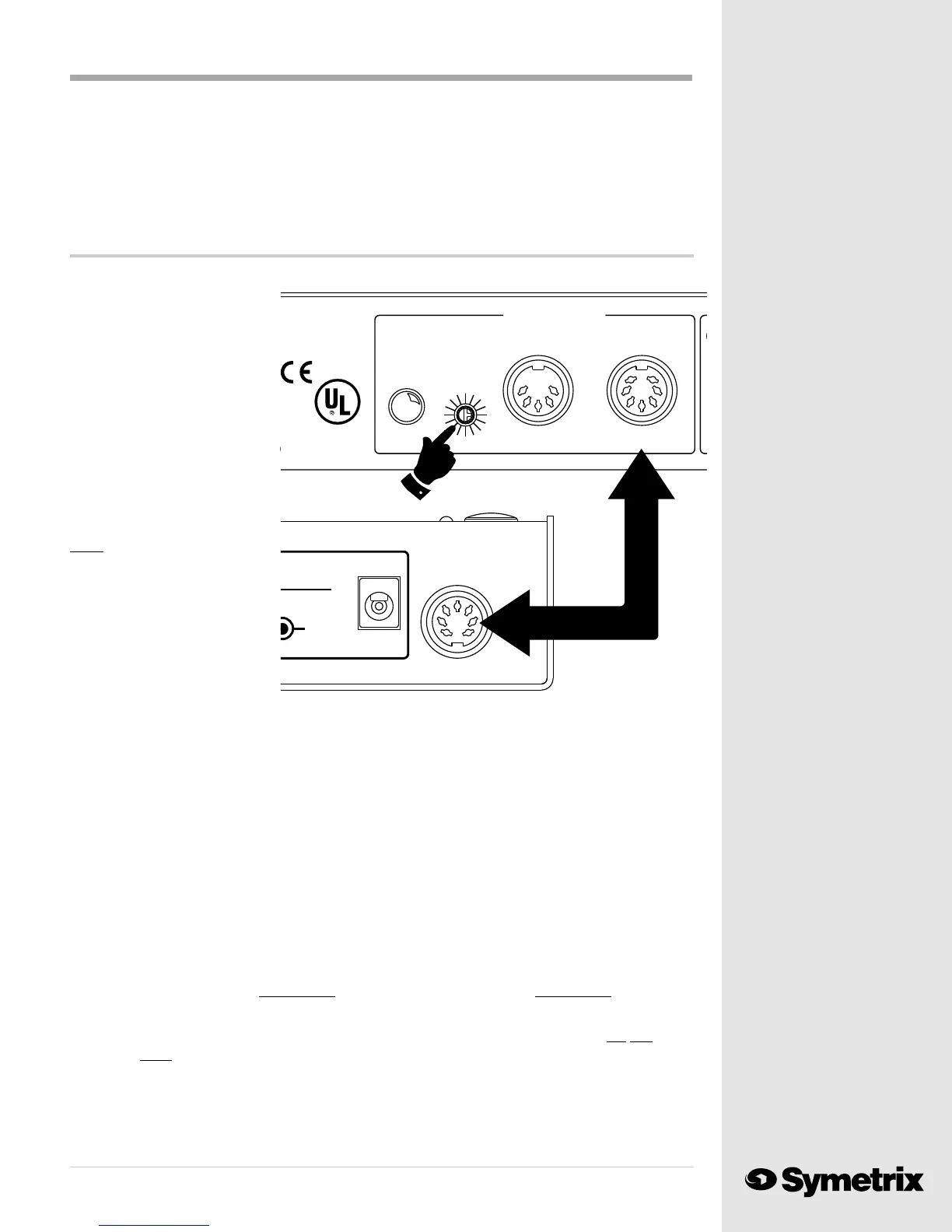
If you are not using the Symetrix RC-1 remote control, you can sit out this section. If you have the
RC-1, plug one end of the 7 pin
DIN cable (supplied with the
RC-1) into the MIDI/RC-1 IN
connector. Plug the other end
of the cable into the RC-1
Remote Control. Make sure that
the MIDI CHANNEL SELECT
rotary switch identifies the 628
as Channel #1. Read the
channel number on the switch
or on the MASTER display as
you turn the MIDI CHANNEL
SELECT switch.
Note: You will find
further informa-
tion on the RC-1,
including instruction
on how to change the
RC-1s MIDI channel
identification, in
Appendix D at the rear
of this manual.
With the Symetrix RC-1 connected to the 628 you can select and load any of the first eleven presets
stored in your 628 by pushing the corresponding button on the RC-1. The BYPASS button loads
program #0 which remains a dedicated bypass function and may not be programmed.
When you first connect the RC-1, none of the LEDs will light. Push the button for preset #1. The
LED next to the Program 1 button will light. The MASTER display on the 628's front panel should
display "1", indicating that the command from he RC-1 was received and preset #1 was loaded.
The LEDs on the RC-1 do not provided positive confirmation of which preset is selected on the
628. They simply serve as reminders of which program selection was last sent to the 628. If a
program selection change is made at the front panel PRESET NUMBER knob, the LEDs on the RC-1
will not reflect the change. When in doubt, check the 628's MASTER display, or push the desired
preset button on the RC-1 even though it may already be lighted.
The Symetrix RC-1 cannot make changes to any individual operating parameter on the 628. It
selects and loads presets #0 through #11 only. There is no button lockout or other security feature
provided on the RC-1. If you accidentally hit one of the buttons, you will accidentally change the
processing preset on the 628.
Caution: The Symetrix RC-1 includes a jack for an optional 9 VDC power supply (not sup
plied). If you use the RC-1 with the 628, the RC-1 takes its power from the 628. No
external power supply is required when using the RC-1 with the 628. The optional
9VDC connection allows you to use the RC-1 with MIDI controlled devices (like the
Symetrix 601 and 602).
connector. The 628 provides signal to only one digital output format at a time.
As you switch between AES/EBU and S/P DIF, the MASTER display on the front panel will reflect
the change. When you select AES/EBU the display will read "PrO", indicating "professional". If
you use the S/P DIF format, the MASTER display will read "COn", reflecting the "consumer"
format.



 To Next Page