7
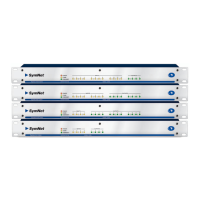
SymNet Express Cobra Family
RearPanel•HostConnections
Rear Panel Continued
Item Description Remarks
ARC AUDIO 3 pin Euroblock Splits a single analog line level audio signal off of the ARC port. Can be wired to a line level analog input or output
jack for remote audio over CAT5.
ARC RJ-45 DistributespowerandRS-485datatooneormoreARCsperport.(See:ARCNetworkDesign).
RS-485 3 pin Euroblock ConnectstoaControlI/O,ARC-PS,ARCorotherSymetrixSymNetfamilyRS-485controller,wiredinparallel(Ato
A,BtoBandGNDtoGND)usingshieldedtwistedpair.PortSettings:38.4kbaud(default),8databits,1stopbit,
no parity, no flow control.
RS-232 FemaleDB9 SerialcommunicationsinterfaceforSymNetDesigneronthehostPCora3rdpartyaccessorycontroller.(Mode
isdeterminedbythe“RS-232:Host/Acc”modeswitch.)PortSettings(Host):115or57.6kbaud,8databits,1
stopbit,noparity,noflowcontrolPortSettings(Acc):38.4kbaud(default),8databits,1stopbit,noparity,noflow
control.
DEVICE CONFIG 8DIPswitchblock Configures the Express’s RS-232 port mode, RS-232 port host mode baud rate and Ring Number (device address).
ETHERNET RJ-45 10/100Base-TEthernetportforSymNetDesignerhostcontroloverI P. IPcontrolmustbesetupfromSymNet
Designer via RS-232 first for security.
COBRANET/ETH-
ERNET
RJ-45 10/100Base-TEthernetportforCobraNetaudio.(FuturesoftwareversionsmaysupportSymNetDesignerhost
controloverIP+CobraNetonthissameport.)
RELAY OUT 3 pin Euroblock 1 SPDT relay rated at 3 Amps, 24 VDC, resistive; 0.3 Amps, 60 VDC, resistive and can be wired normally open or
normally closed. This relay can also be used for power failure detection or emergency alarm system integration.
O/C (open collector)
OUT
3 pin Euroblock 2 open collector outputs with a paired common ground pin. O/C outputs go low (0V) when active, and are internally
pulled high (5V) when inactive and can drive external LED indicators directly.
CONTROL IN 3 pin Euroblocks 2 analog control inputs able to be used as 2 potentiometer inputs, 2 mechanical rotary encoder inputs, or as 4
switchinputs(+5VDCreferencevoltagesupplied).
ANALOG OUTPUTS 3 pin Euroblocks 4,8or12analoglinelevelaudioinputswithindividuallysoftware-selectable
level
of-10dBVor+4dBu.
ANALOG INPUTS 3 pin Euroblocks 4,8or12analogmic/linelevelaudioinputswithindividuallysoftware-selectablephantompowerandlevelof-50
dBu,-40dBu,-20dBu,-10dBVor+4dBu.
Host Communications
The host PC (running SymNet Designer) can communicate directly
with the Express as a stand alone device (Ring #1) in one of two ways:
RS-232 or Ethernet. Control over CobraNet may be available in a future
software release. For the time being, the CobraNet port is for CobraNet
Network Audio only and the Ethernet port is for host control only.
RS-232:
The Express has only one RS-232 port on the rear of the device, a
slight departure from the traditional SymNet DSP devices. As a result,
this rear panel RS-232 port sees double duty as both a host PC
interface or a 3rd party RS-232 accessory controller interface, but not
both simultaneously. The port’s purpose is set by DIP switch #2 labeled
“RS-232: Host / Acc”. When this switch is set to the “Host” position,
DIP switch#1labeled“HOST:115k/57k”determinesthebaudrate
oftheRS-232port(115.2or57.6kilobaud)andthisbaudratemust
match the baud rate chosen in SymNet Designer’s Preferences dialog.
When DIP switch #2 is set to the “Acc” position, the RS-232 port’s
baudratedefaultsto38.4kunlesschangedbytheRS-232Control
Protocol or SymNet Designer’s Upgrade Firmware dialog.
Ethernet:
TheExpress’s10/100Base-TEthernetportisavailableforuse
regardless of DIP switch #2’s position. Ethernet or “IP” control is the
only way that multiple Express devices can be configured within the
same Site File. With an Express Cobra’s Ethernet and CobraNet ports,
these devices can be made part of a larger SymNet system which may
utilize1ormoreRingsoftraditionalSymNethardware(CobraLink,8x8
DSP,BreakIn12,andBreakOut12).
Note: Ethernet communications settings (IP addresses and access
codes) must first be set up from SymNet Designer via the RS-232
port interface. Please see the SymNet Designer online help for further
information.


 To Next Page
 Loading...