Choosing the recording format of a blank disc
28
Formatting a disc
Recording
When inserting a blank disc, the
unit starts to initialize the blank
disc.
After that,You can record to the
disc with the recording format
selected in SETUP menu.
You are allowed to set a specified
time for chapter marks.
1
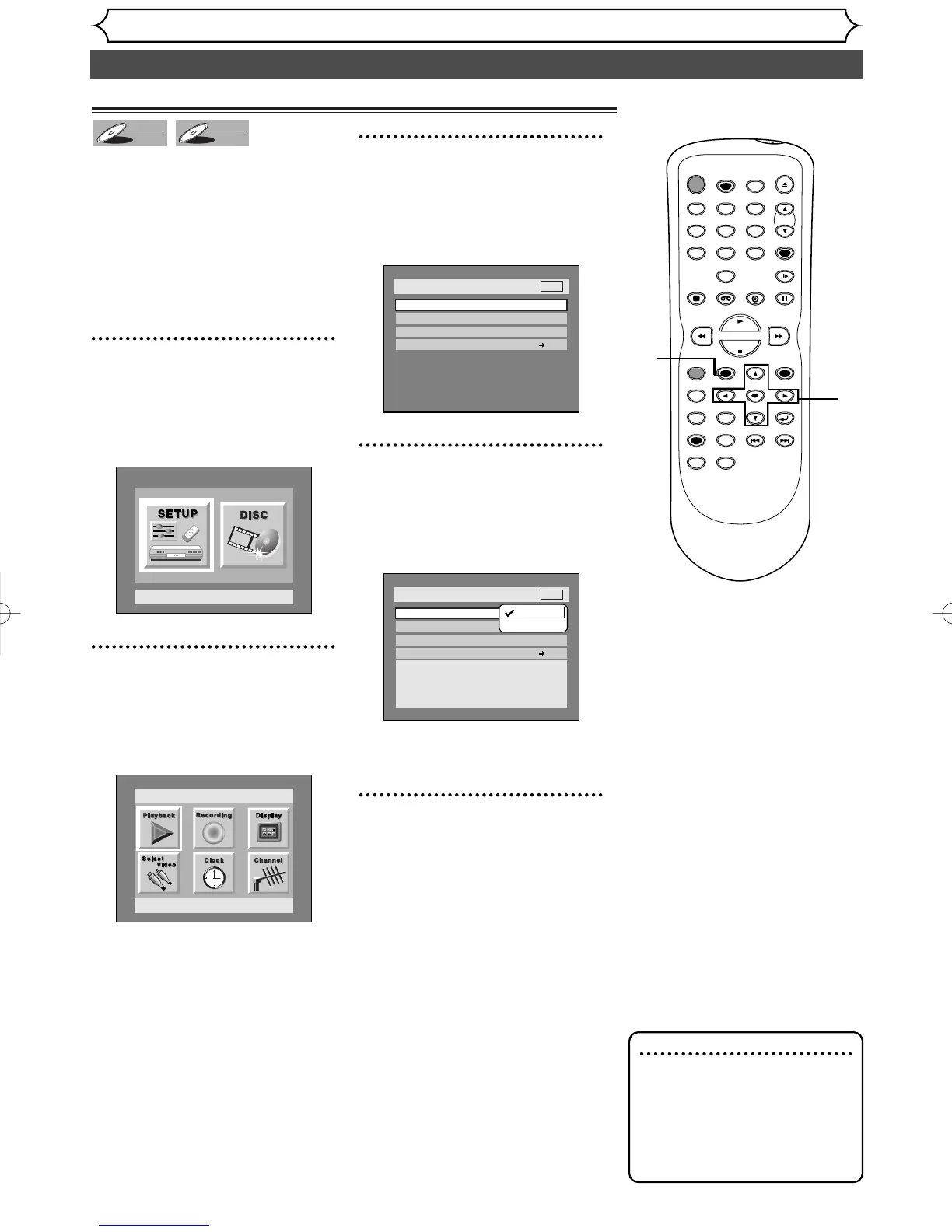
Press SETUP button to dis-
play SETUP/DISC menu.
SETUP/DISC menu will appear.
Screen:
2
Select SETUP using { / B
buttons, then press ENTER
button.
SETUP menu will appear.
3
Select “Recording” using K /
L / { / B buttons, then press
ENTER button.
Recording menu will appear.
4
Select “DVD-RW Recording
Format” using K / L buttons,
then press ENTER button.
Option window will appear.
Video mode has been selected as
the default.
5
Select “Video mode” or “VR
mode” using K / L buttons,
then press ENTER button.
The recording mode will be set.
Editing possibility mode.


 To Next Page