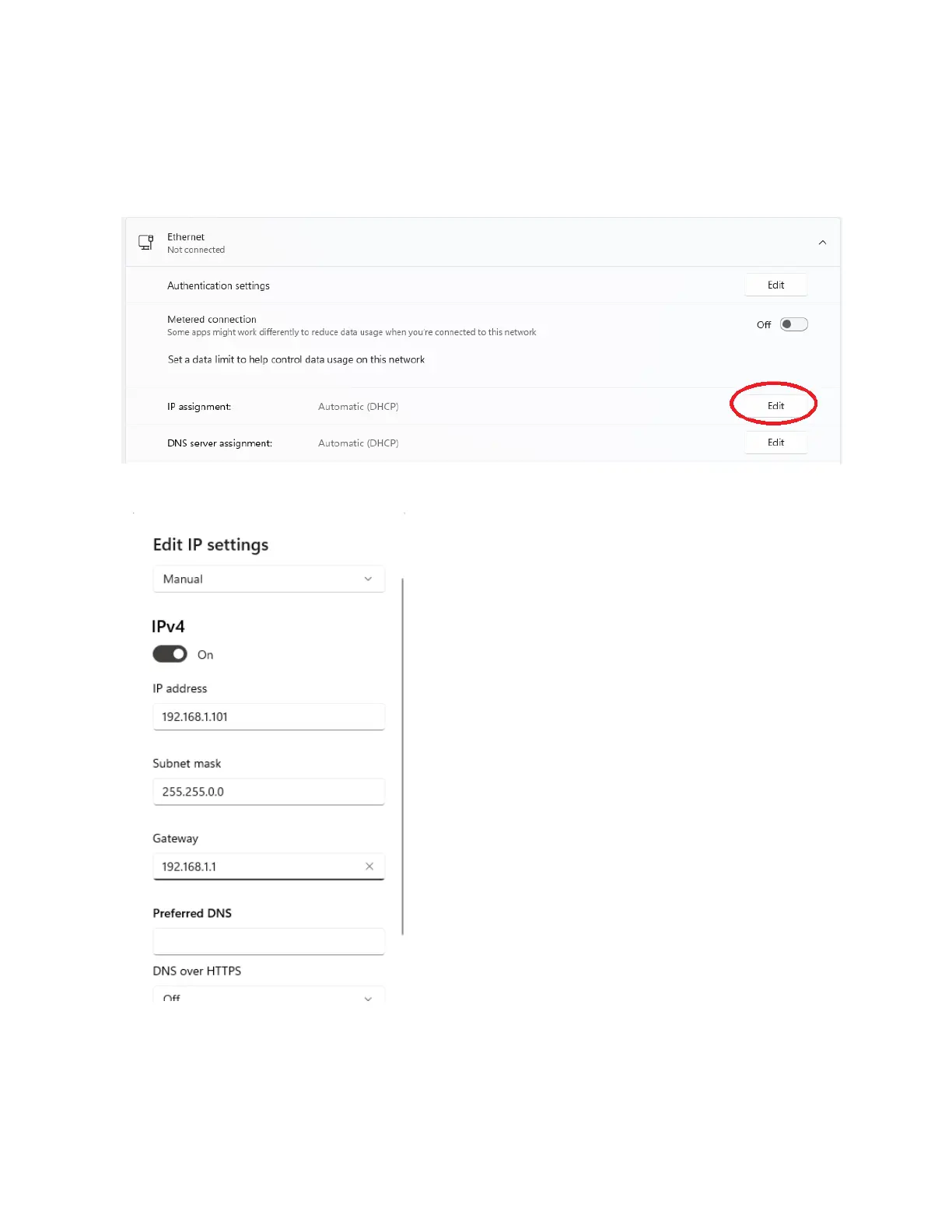
Once you are in the Network & Internet settings window, find the ethernet port that corresponds to the
one you are directly connecting to your device, and click on the “Edit” button for IP Assignment (picture
shown below).
You will need to change the IP settings from “Automatic
(DHCP)” to “Manual”, with the following settings for IPv4 for a
device with default factory settings (also pictured on the left
image)
IP Address: 192.168.1.101
Subnet Mask: 255.255.0.0
Gateway: 192.168.1.1
Once these settings are saved, you should be able to
connect to your device at 192.168.1.100 over a web browser
or telnet.
Connecting via Serial Port (USB / DB9)
Connect your device via its serial port (USB or DB9, depending on model and configuration) to your PC.



 To Next Page