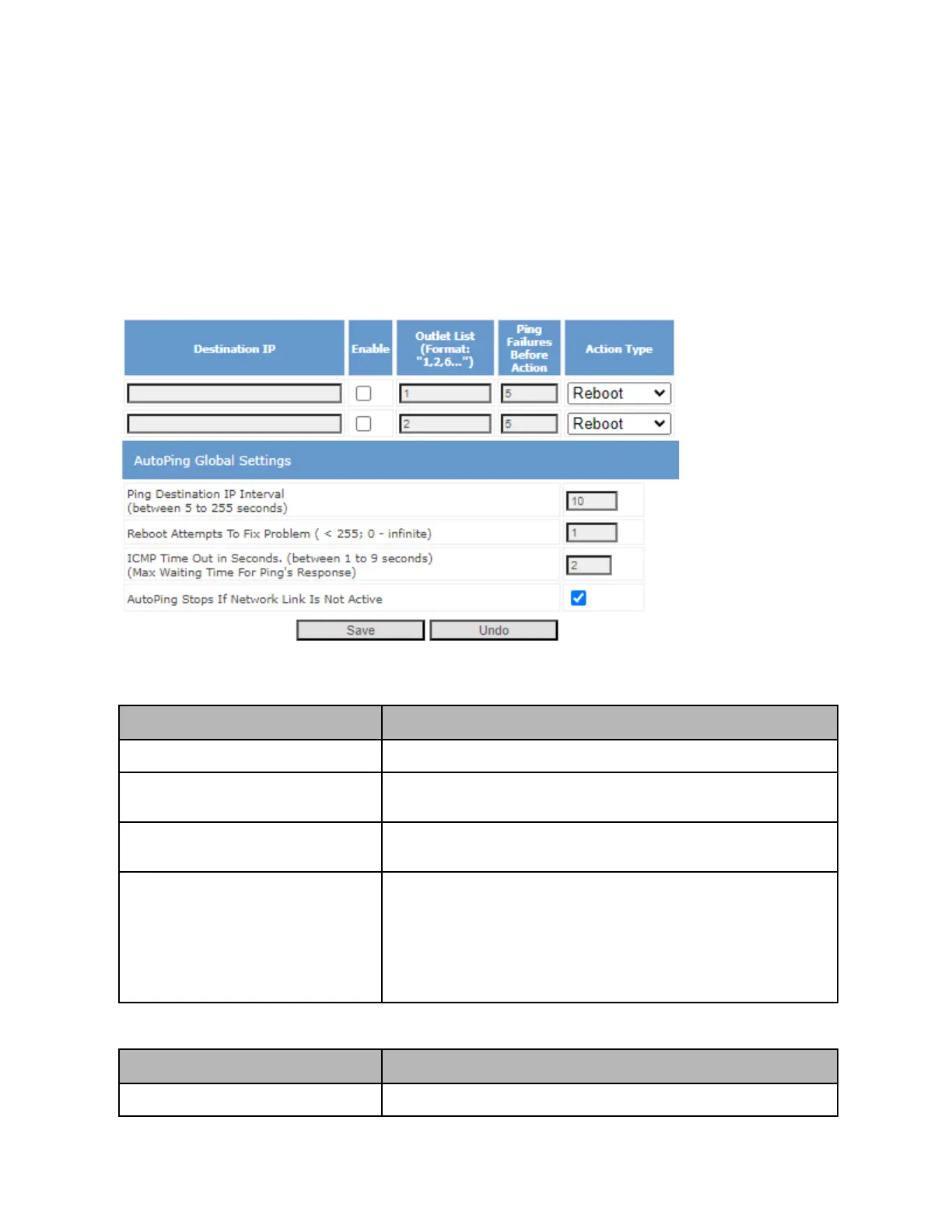
AutoPing
AutoPing gives you functionality to automatically reboot a set of outlets after a specified number of pings
to a destination IP fail. This can be used to test if a device powered by the PDU is still alive, and to
power cycle this device if no ping response is returned. This feature can be enabled and configured in
the “AutoPing” section of the left hand menu of the web UI.
Refer to the following table for more information on each setting:
The destination IP to ping to test connectivity
The list of outlets to perform an action on (as defined by Action Type)
when specified number of ping failures happen
Ping Failures Before Action
The number of consecutive ping failures that happen before an action
takes place
Action to take once specified number of ping failures happen.
Reboot: Reboots outlets specified in outlet list
On: Turns outlets in outlet list on
Off: Turns outlets in outlet list off
Email Only: Sends an email notification (provided network connectivity
on the PDU is still present)
Ping Destination IP Interval
The time (in seconds) between each ping



 To Next Page