Init Install
3 INSTALLATION
Installation
4
1
2
3
1
English
4
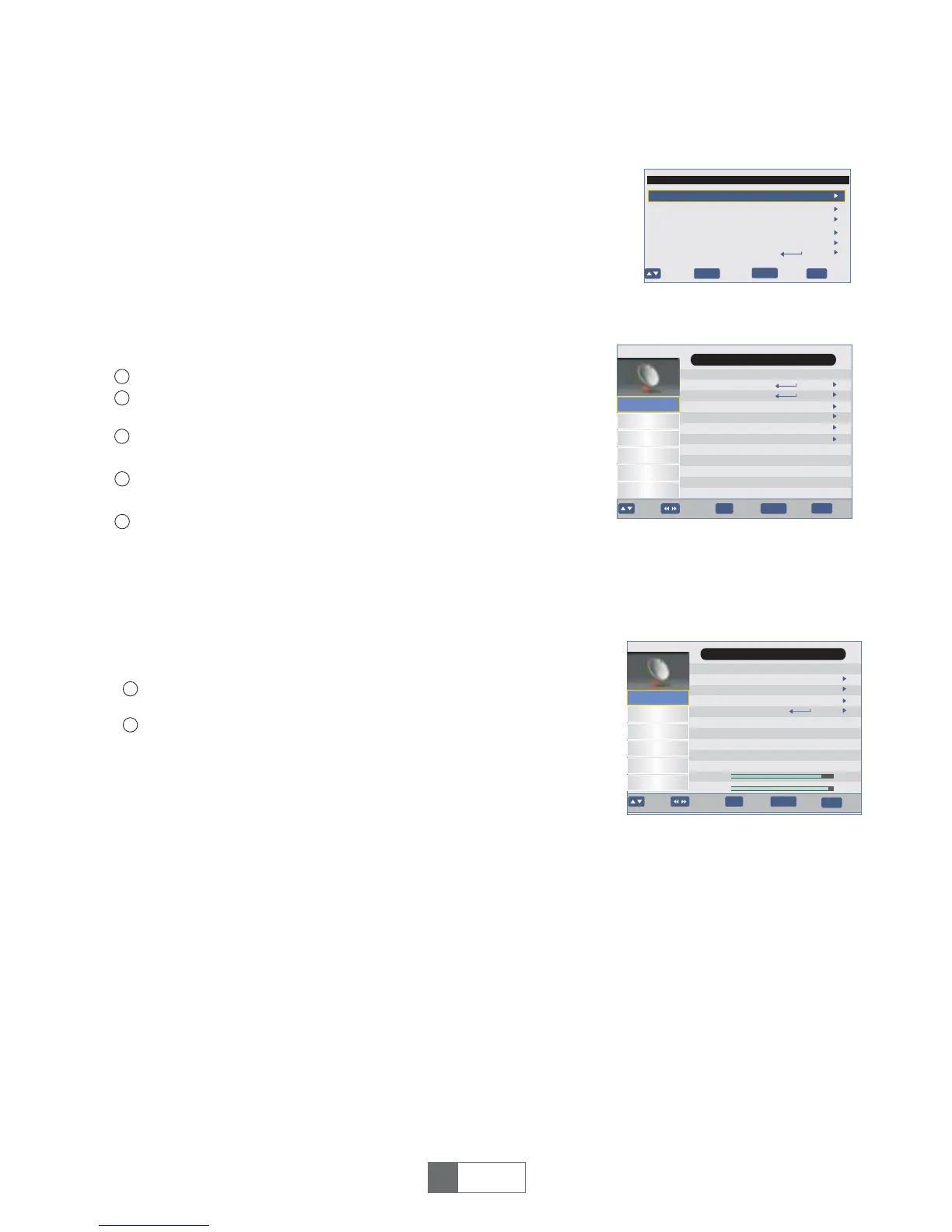
Press the "MENU" button to enter main menu.
Press "UP"or " DOWN " button to highlight "Installation", press
"RIGHT" button to enter the Installation menu.
You are asked to input a password(the default password is"0000").
Input the correct password by pressing numeric buttons.
Press"UP"or"DOWN"cursorbutton tohighlightthedesireditem
andpress"OK"buttontoenterthesub-menu.
Press"EXIT"buttontoexit.
OSD Language
Country
Time Zone
Active Antenna
LCN
Start Search
Init Install
English
Auto
OK
EXIT
Move Enter
Exit
5
Off
Off
Hungary
BACK
Back
Auto Search
Manual Search
Channel Filter
Country
LCN
Activve Antenna
OK
EXIT
Move
Channel
Preference
Enter
Exit
BACK
BackPage+-
Setting
AV
Game
Installation
Main Menu
All Channels
Hungary
Off
Off
Channel No.
Frequency
Bandwidth
Start Search
OK
EXIT
Move
Channel
Preference
Enter
Exit
BACK
BackPage+-
Setting
AV
Game
Installation
Main Menu/Installation/
Manual Search
21
474000KHz
8M
Strength
Quality
78%
90%
Select"ManualSearch",pressthe"OK"buttontoentertheManual
Search menu.
Press"LEFT"cursor buttontosetFrequencychannel,
then highlight "Start Search",
press"OK"buttontostartchannelscan.
Press "LEFT"or "RIGHT"button to set the Antenna Power.
When "Antenna Power" is selected "On", the STB will provide 5V power to antenna.
It will not provide when selected "Off".
3.1 Auto Search
3.2 Manual Search
3.3 Channel Filter
Selectthe"AutoSearch",press"OK"buttonto startAutoSearch,press"EXIT"buttontocancel.
3.6 Antenna Power
1
2
Press"OK"or"RIGHT"button toselect theAllchannelsorFTAOnly.
3.5 LCN
You can activate/disactivate the LCN function by setting the "LCN " to on/off.
If LCN (Logical Channel Number)Select function is activated, you can't change the original
number of TV channels by scanning .
3.4 Country
Press"LEFT"or"RIGHT"button tosetthecountry.
If you use the STB for the first time, the "Installation" menu appears .
Press cursor button to setup the OSD Language, Country, Time Zone,
LCN
and Antenna Power.
Highlight"Start Search",thenpressthe"OK"buttontostartchannel
search.


 To Next Page