2 Operation
The display can show live readings or can be set to peak hold mode (see 3.4) which allows peak and
trough values to be viewed.
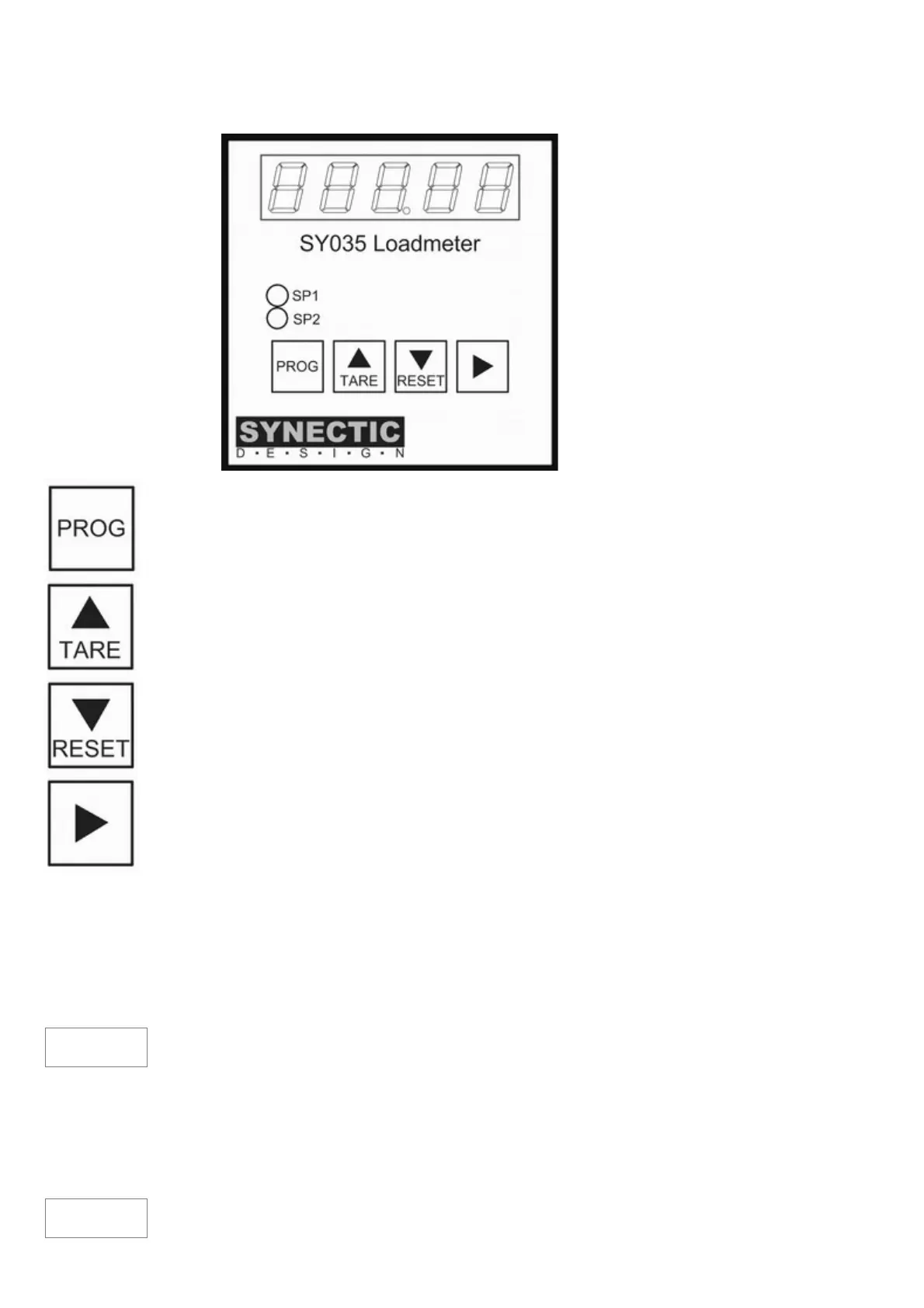
5 digit LED display
Setpoint relay status
indicators
4 button keypad
This button is used to switch the instrument to configuration mode.
The TARE button is used in configuration mode to increment digit values and for
navigation.
In normal operation it is used to tare(zero) the display.
See 2.1 Tare options for more detail. In HOLD mode pressing the button shows the trough
(min) value
The RESET button is used in configuration mode to decrement digit values and for
navigation.
In normal operation it resets latched relays (see 3.5)
In HOLD mode it resets peak/trough measurements.
This button is used to view/edit setpoint relay trip levels. It can also be used to send
information to a printer if PROG is pressed before it is released (see 4.3).
2.1 Tare Options
The tare button can be used to tare (zero) the display. An external normally open push button switch
can be connected to the rear panel TARE terminals to perform the same function. The single button
press performs a temporary tare. When the instrument is turned off, then back on, the tare returns to
its original stored value.
To change the stored tare value, in case for example the load cell zero has drifted, pressing TARE &
PROG will take a reading and save it as the stored tare.
Will be displayed to indicate that the tare value has been stored.
In some cases it can be useful to be able to revert to the stored tare without having to turn the
instrument off and on. For example, if a number of ingredients are being added to a vessel, such as
10kg, 25kg & 15kg of three different ingredients. Ingredient 1 could be added until the display showed
10kg. The tare is then pressed to zero the display. Ingredient 2 is added until 25kg is shown. Tare is
again pressed and ingredient 3 is added until 15kg is shown. The stored tare value can then be
restored by pressing TARE & RESET
will be shown briefly and then the total vessel contents of 50kg will be indicated.
TARE
GroSS


 To Next Page