3 Configuration
3.1 Load cell calibration
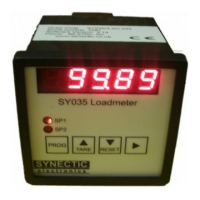
Press then PROG button then press 5 or 6 until CAL is displayed. Press the 4 key
to enter the calibration mode. The instrument can be calibrated to the load cells by
adding a known weight. Before adding a known weight, make sure you tare the instrument
before entering calibration mode.
Before changing any calibration values a PIN number has to be entered. This is not
meant to prevent access, but to prevent accidental changes being made. Without
pressing any further key, the display will change to show
after 1 second. Use the 5 6 & 4 keys until the
display shows , then press PROG.
The instrument contains a non-resettable counter which is incremented each time the
calibration is altered. To use this feature, make a note of the value on the calibration certificate. When
the unit is next calibrated the value can be checked to determine if the calibration has been altered in
the interim. To view the counter press the 4 key, then press PROG to return here.
Press the 5or 6 keys to move on to the next step.
n indicates the number of decimal places to be displayed. To change press the 4 key,
then the 5 6 keys to select the value in the range 0 – 3. When correct press PROG to return here.
Note: The decimal places value does not affect the scaling factor. If the unit was already scaled for
100.00 full scale, changing dp from 2 to 1 would leave the full scale as 1000.0
Press the 5or 6 keys to move on to the next step.
Calibration by adding a known load. The unit should already have been tared, without the known
load, before entering calibration mode. Press the 4 key, the display will show 5 hyphens with the
decimal place set according to the dp value. Use the 5 6 & 4 keys to set the display to equal the
added load value. When correct press PROG. If a problem occurs, the screen will show Err. This
usually indicates a problem with the load cell connections.
Press the 5or 6 keys to move on to the next step.
Calibration by scaling factor. A six digit scaling factor defines the displayed values. Press the 4 key,
the display will show the current value
The value is up to 99.9999, nn.nnn refers to the 1st 5 digits. Use the 5 6 & 4 keys to
adjust the value. Pressing the 4 key on the 5th digit will scroll the display to reveal the 6th digit.
Adjusting the scaling factor can be the simplest way of making fine adjustment. It is also useful to
make a note of the value after a calibration by known load.
Pressing the 5 6 keys will cycle through the calibration functions. Press PROG to exit.
3.2 Filter settings
Press the PROG button then press 5 or 6 until FIL is displayed. Press the 4 key to
indicate the current setting. n is a value between 0 and 9 indicating the level of filtering, 9 being
highest. The reading update rates depend on whether the remote display output is
enabled.
CAL
Pin
-----
12345
nrC
DP n
LOAd
FIL
FIL n
SCALE
nn.nnn


 To Next Page
 Loading...