7
Chapter 2: Hardware Setup
3
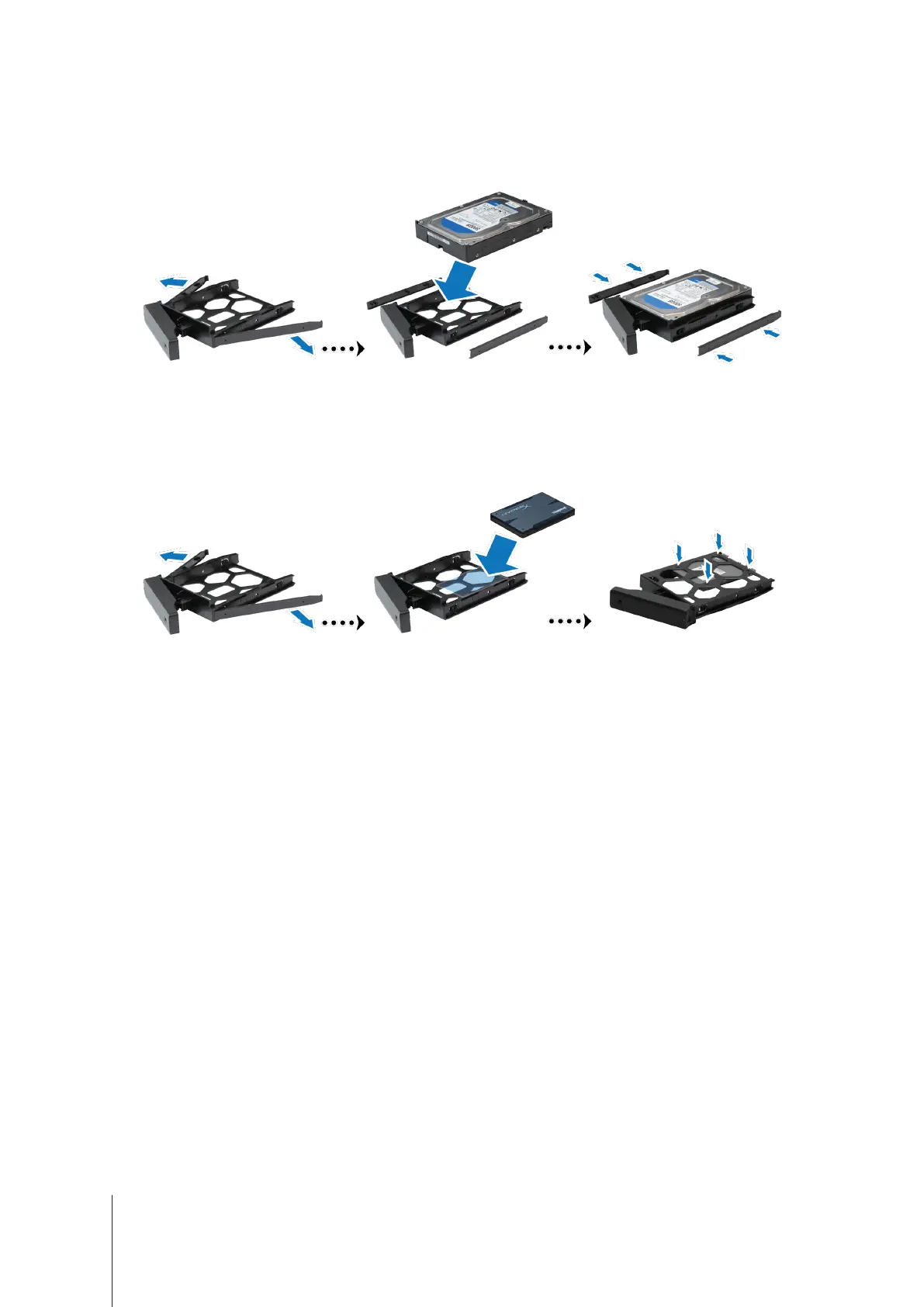
Load drives in the drive trays.
•
For 3.5” drives:
Remove the fastening panels from the sides of the drive tray. Place the drive in the drive
tray. Then insert the fastening panels to secure the drive in place.
•
For 2.5” drives:
Remove the fastening panels from the sides of the drive tray and store them in a safe
place. Place the drive in the blue area (shown below) of the drive tray. Turn the tray upside down and tighten
the screws to secure the drive in place.













 To Next Page