B
11
Appendix
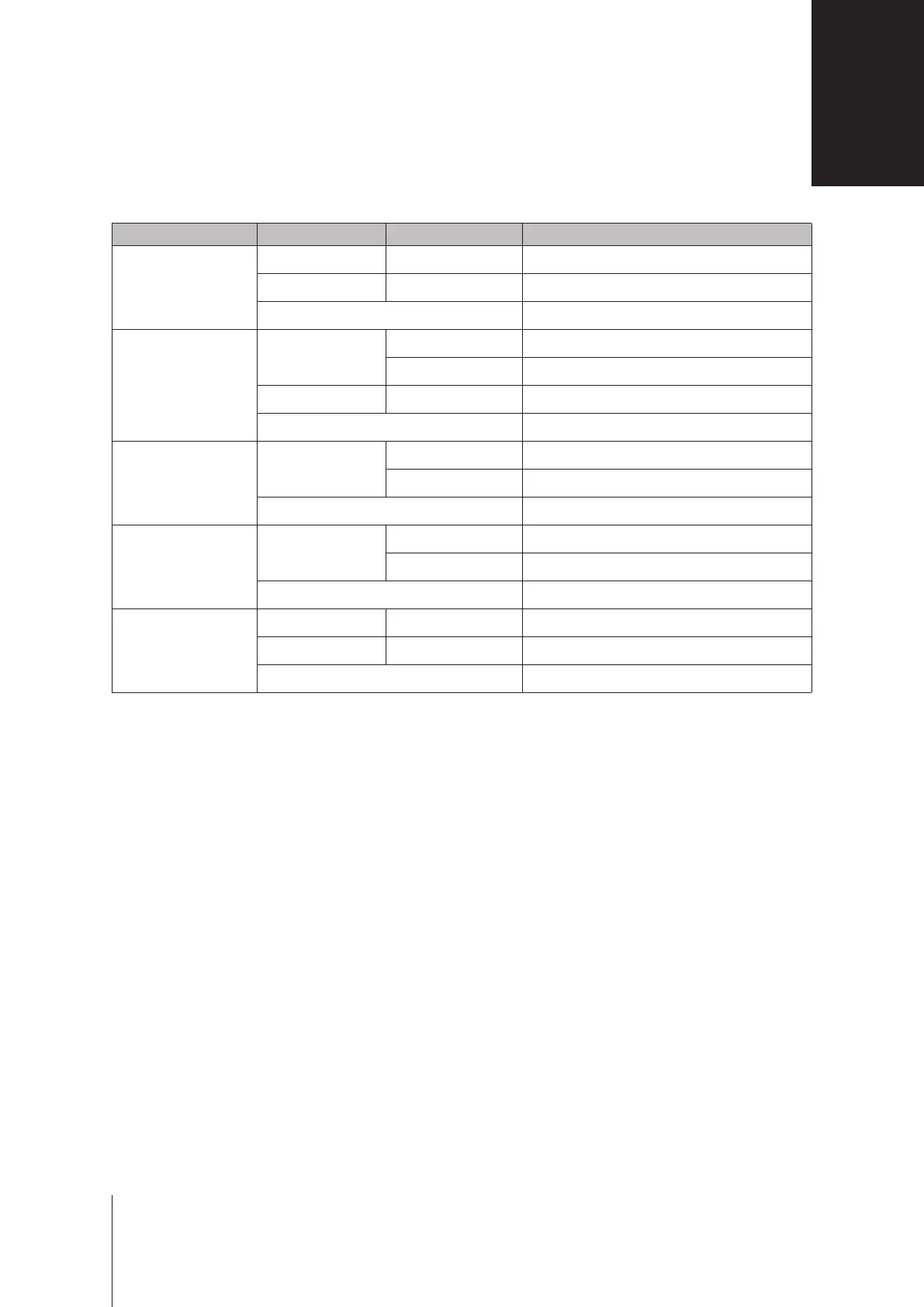
LED Indicator Color Status Description
STATUS
Green Static Volumenormal
Orange Blinking Novolume
Slowon/offcycle HDDhibernation
DISK1-4
Green
Static Drivereadyandidle
Blinking Accessingdrive
Orange Static Driveerror
Off Nointernaldrive
Power
Blue
Static Poweredon
Blinking Bootinguporshuttingdown
Off Poweredoff
RearLAN
(onuppersideofjack)
Green
Static Networkconnected
Blinking Networkactive
Off Nonetwork
RearLAN
(onlowersideofjack)
Green Static Gigabitconnection
Orange Static 100Mbpsconnection
Off 10Mbpsconnection/Nonetwork
Note:
Modelspecicationsaresubjecttochangewithoutnotice.Pleasereferto
www.synology.com
forthelatestinformation.
LED Indicator Table







 To Next Page