6
2
Chapter
Tools and Parts for Drive Installation
• Ascrewdriver(onlyfor2.5"drives)
• Atleastone3.5”or2.5”SATAdrive(pleasevisit
www.synology.com
forcompatibledrivemodels.)
Warning:
Ifyouinstalladrivethatcontainsdata,thesystemwillformatthedriveanderaseallexistingdata.Please
backupanyimportantdatabeforeinstallation.
Install Drives
1
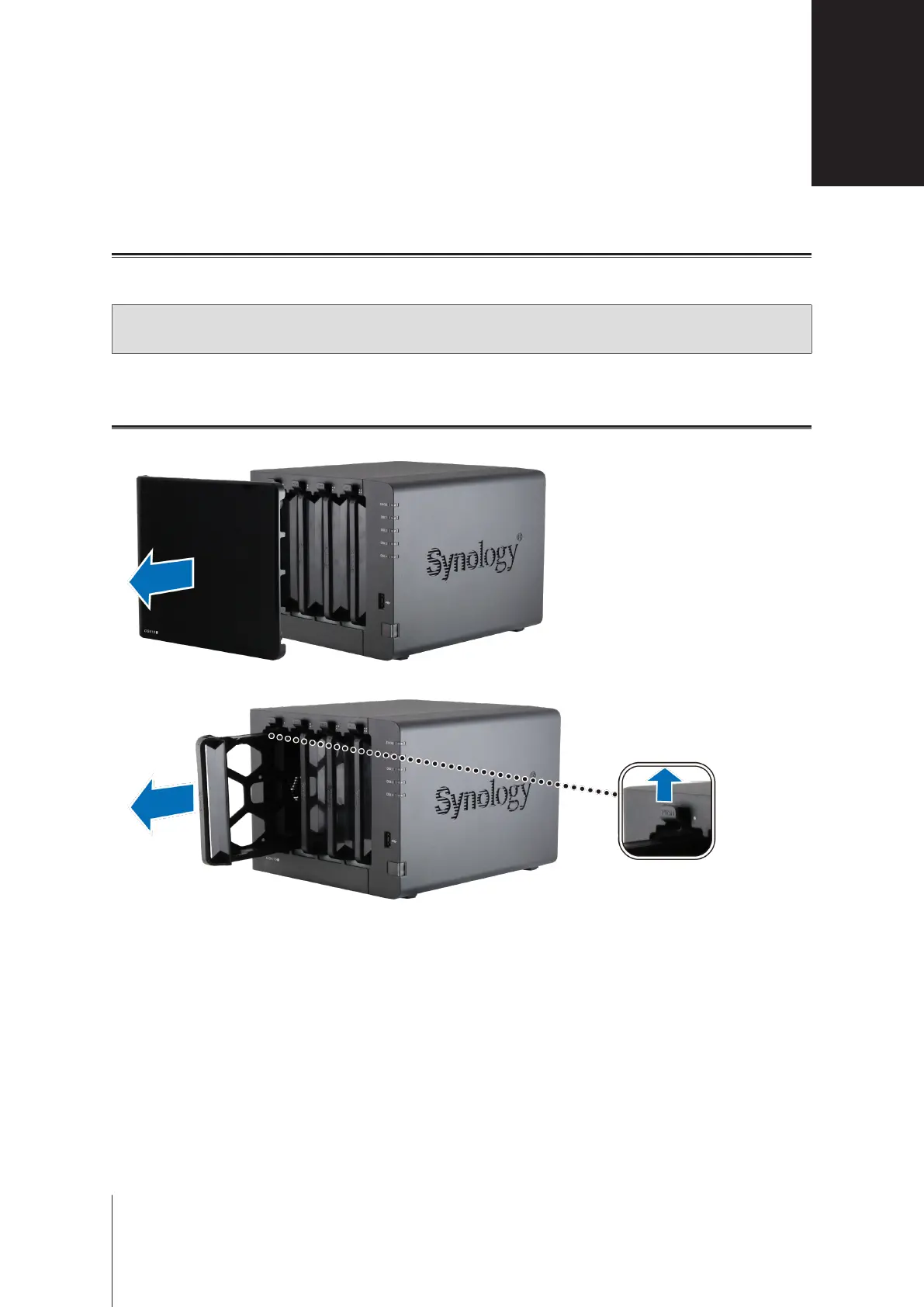
Removethedrivebaycoverfromthefrontpanel.
2
Pushthelatchupwardandpullthehandletoremovethedrivetray.
Hardware Setup







 To Next Page