How to Replace Hard Disk Backplane for 8 bay/5 bay DiskStation
Page 33 of 39
Date: 2014/4/11
Issued by: Hardware Development Group, Synology
®
Inc.
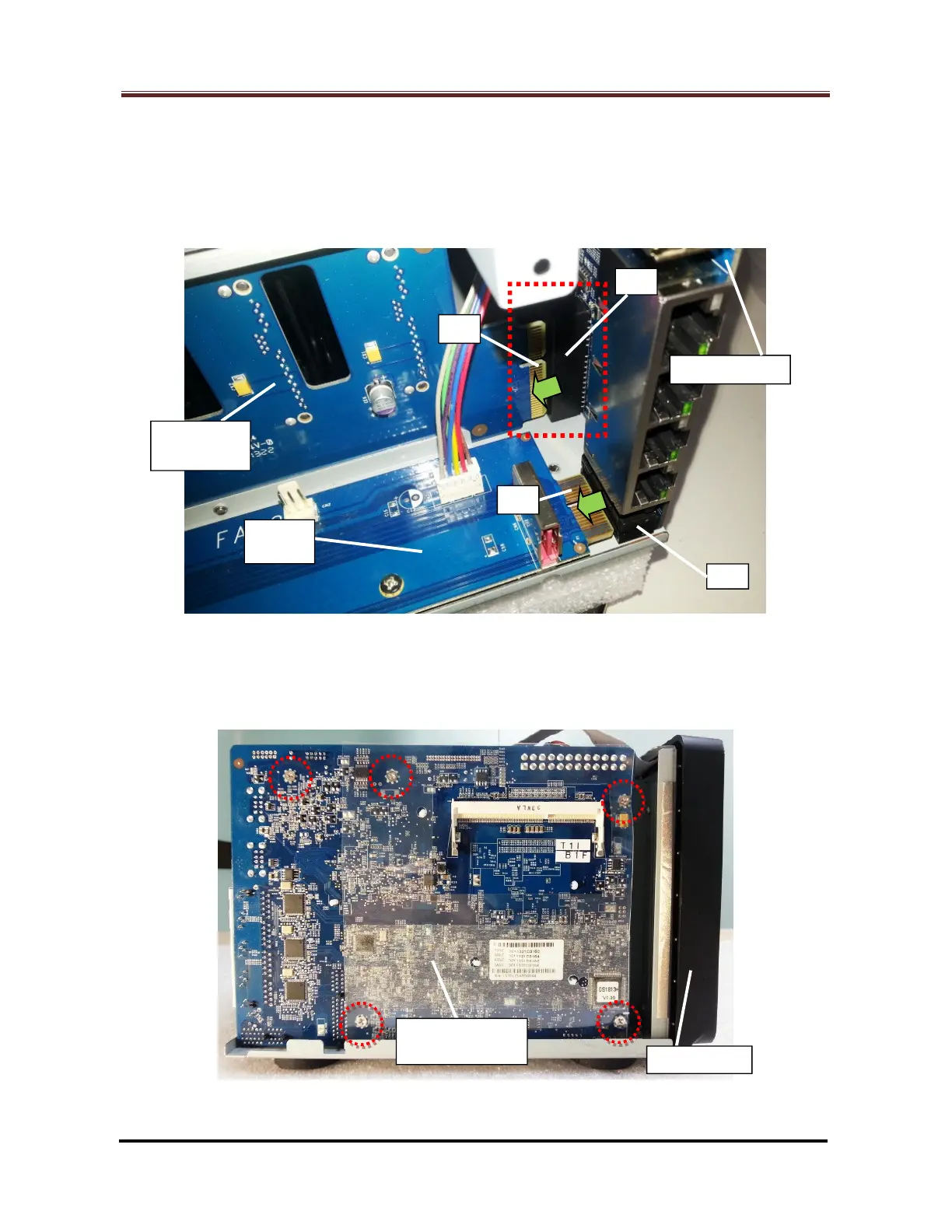
2.2.9 Join the motherboard and the enclosure together with the followings (Fig. 56):
The bonding finger of the HDD backplane (#2) inserted into the PCI Express
connector (Large) (#1) properly.
The bonding finger of the eSATA board (#4) inserted into the PCI Express
connector (Small) (#3) properly.
Fig. 56
2.2.10 Fix the five (5) screws (Marked by the red circles) to secure the motherboard. (Fig.
57)
Fig. 57
Backplane



 To Next Page