How to Replace Hard Disk Backplane for 8 bay/5 bay DiskStation
Page 5 of 39
Date: 2014/4/11
Issued by: Hardware Development Group, Synology
®
Inc.
2. Start to Replace
Note: DS1813+ is hereunder the common example unless otherwise specified.
2.1 Dismantle the defective HDD backplane
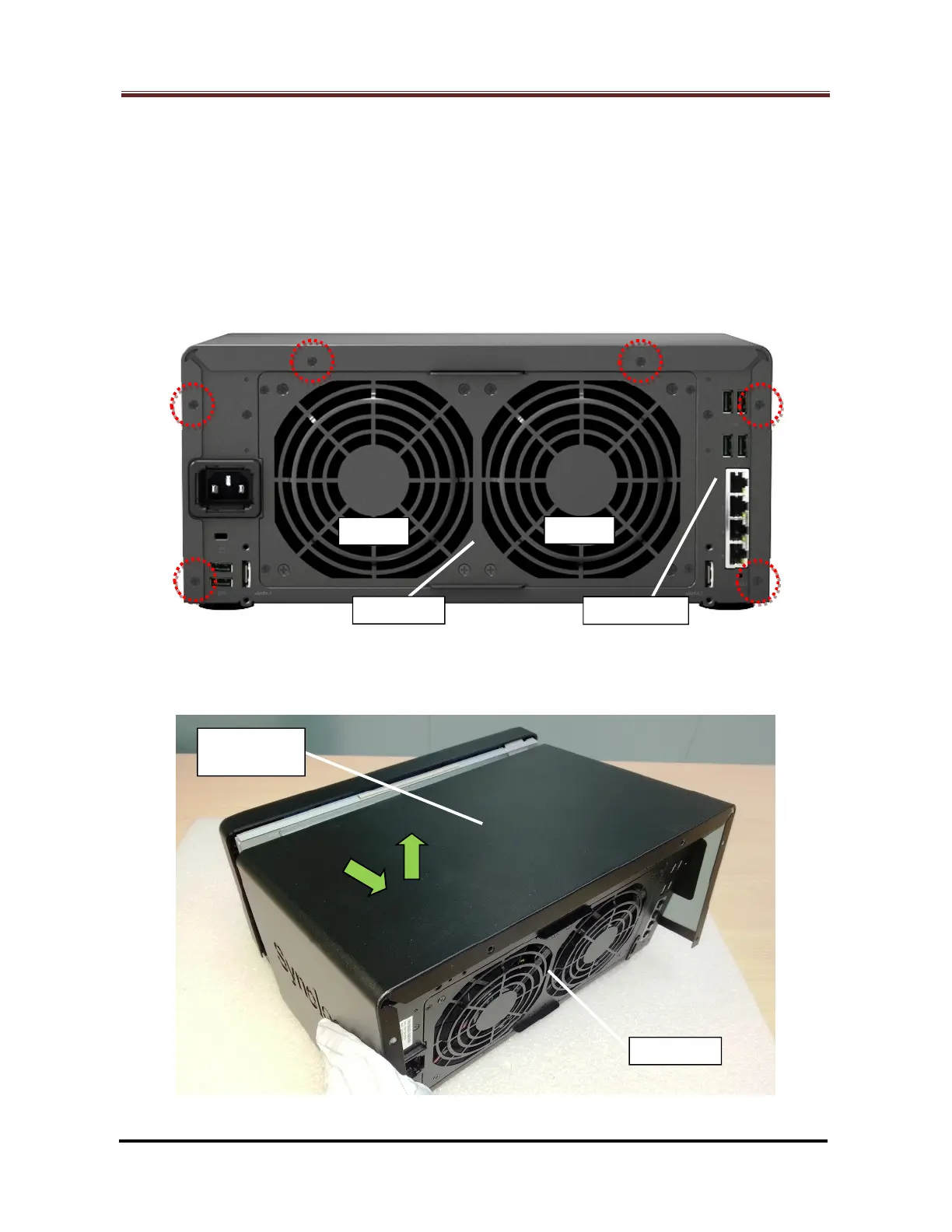
2.1.1 Release the six (6) screws on the rear panel (Marked by the red circles). (Fig. 1)
Fig. 1
2.1.2 Draw backwards then move up the enclosure cover to remove it. (Fig. 2)
Fig. 2
Cover - Top



 To Next Page