18
3
Chapter
System Maintenance
Replace System Fan
If the cooling fan located on the back of the Synology NAS malfunctions, please follow the steps below to remove
the malfunctioning fan and replace it with a new one.
1
Power o your Synology NAS and remove the power cord.
2
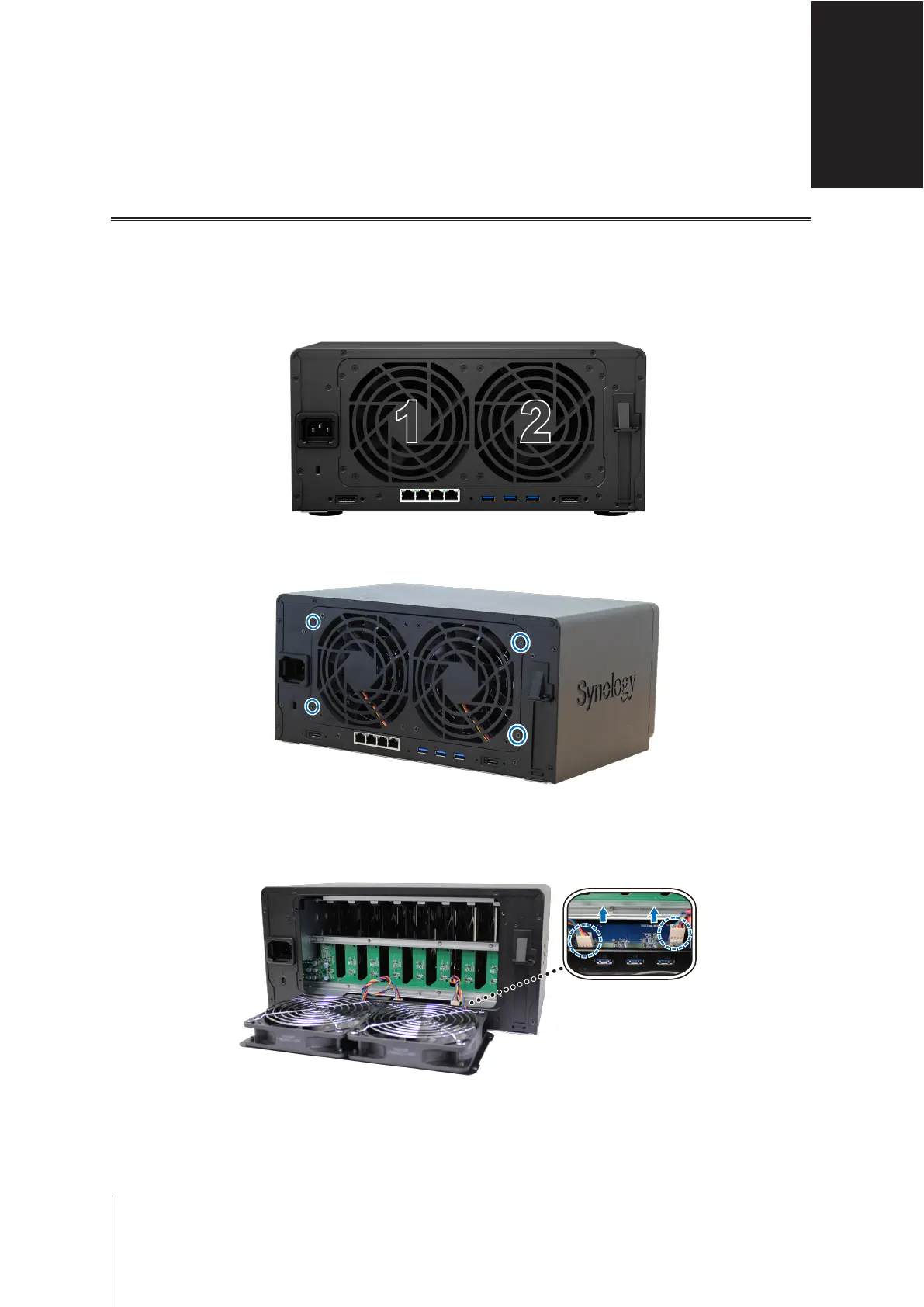
Fans are numbered as shown below:
1
2
3
Remove the four screws that secure the fan panel.
4
Remove the malfunctioning fan:
a
Pull out the fan panel from your Synology NAS.
b
Carefully unplug the power cords located at the bottom of the fan socket as shown below.








 To Next Page