7 Chapter 2: Hardware Setup
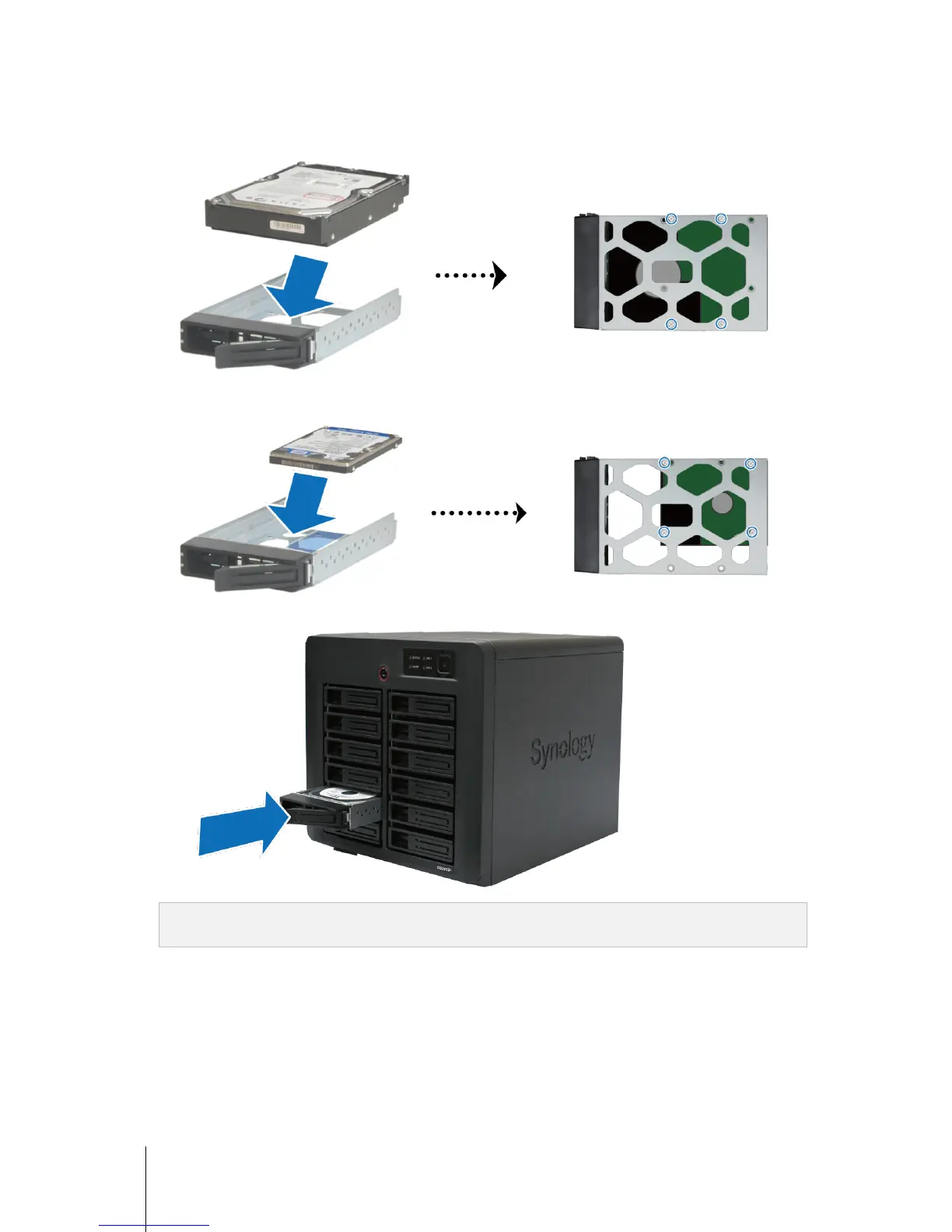
3 Load the hard disk in the hard drive tray.
For 3.5” Hard Disk: Place the hard disk in the hard drive tray, turn the tray upside down, and then tighten
the screws to secure the hard disk.
For 2.5” Hard Disk: Place the hard disk in the blue area (shown below) of the hard drive tray, turn the tray
upside down, and then tighten the screws to secure the hard disk.
4 Insert the loaded hard drive tray into the empty hard disk bay.
Important: Make sure the tray is pushed in all the way. Otherwise, the hard disk might not be able to function
properly.
5 Push the hard drive tray handle to secure the hard drive tray.











 To Next Page