16 Chapter 3: Install DSM on DiskStation
Important: If you are using 64bit Ubuntu, you have to install the 32bit libraries before proceeding. To install, type
the following command in Terminal:
sudo apt-get install ia32-libs
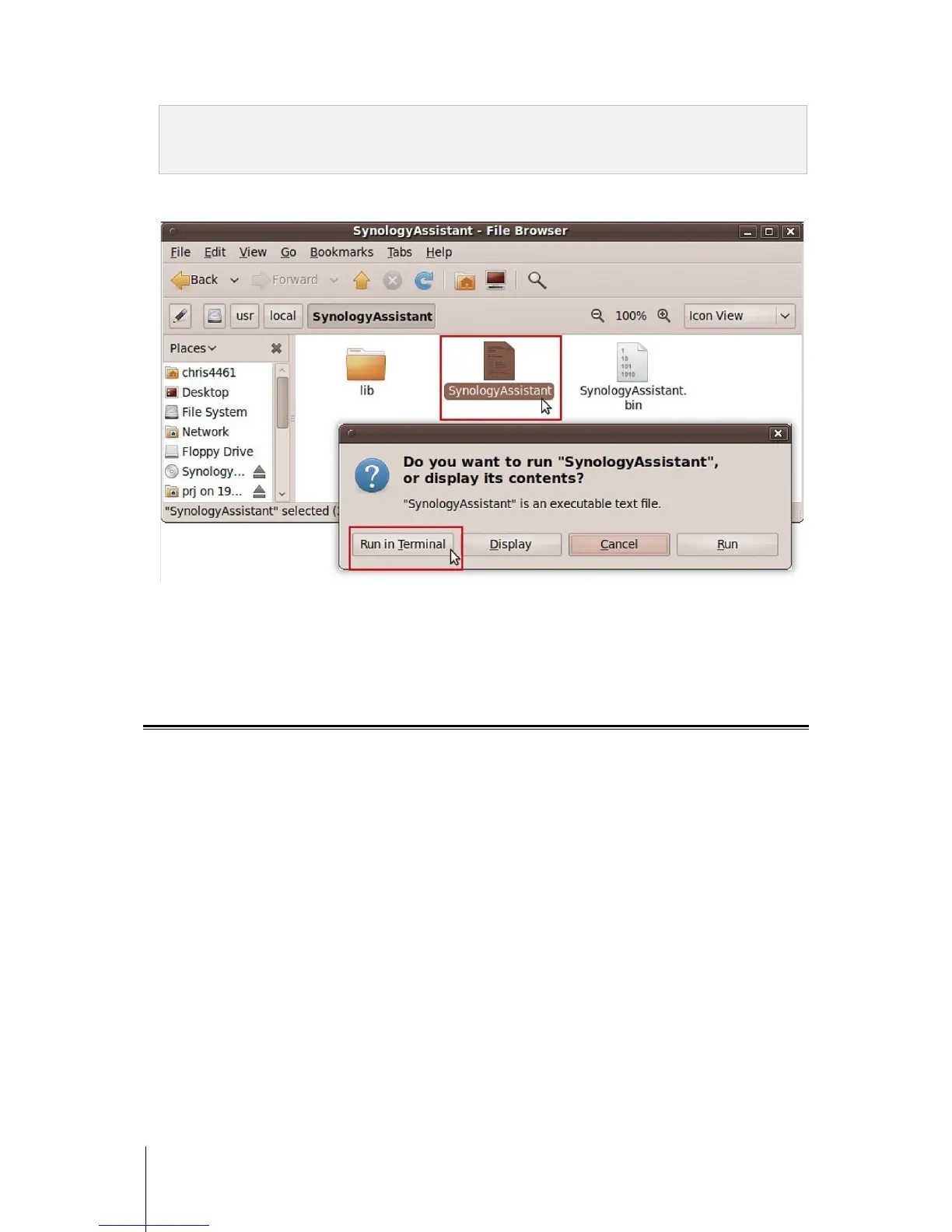
5 Go to /usr/local/SynologyAssistant (or [the path you just specified]/SynologyAssistant), double-click
SynologyAssistant, and then select Run in Terminal in the dialog box that appears.
Install DSM on DiskStation
When you have activated Synology Assistant, follow step 2 to 4 of the “Install from Windows” section to finish
setup.
Learn More
Congratulations! Your DiskStation is set up now. Refer to the User’s Guide in the installation disc for advanced
settings and management. For more information or online resources about your DiskStation, please visit
www.synology.com.









 To Next Page