
 Need help?
Do you have a question about the Synology Remote and is the answer not in the manual?
Guide to Synology Remote, firmware download, and supported USB speakers.
Download and install compatible firmware for the Synology Server.
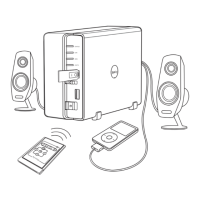
Connect USB speakers to the Synology Server's USB port.
Detach and connect the USB receptor to a Synology Server USB port.
Insert the remote control battery ensuring the positive side faces up.
Visit the Synology website for recommended USB speaker models.
 General
| Compatibility | Synology DiskStation, RackStation, and other Synology NAS models |
|---|---|
| Power Source | Battery |
| Functionality | Control media playback, navigate menus |
| Platform | Synology DSM |
| Features | media playback control, navigation buttons |

 To Next Page