2Chapter
Hardware Setup
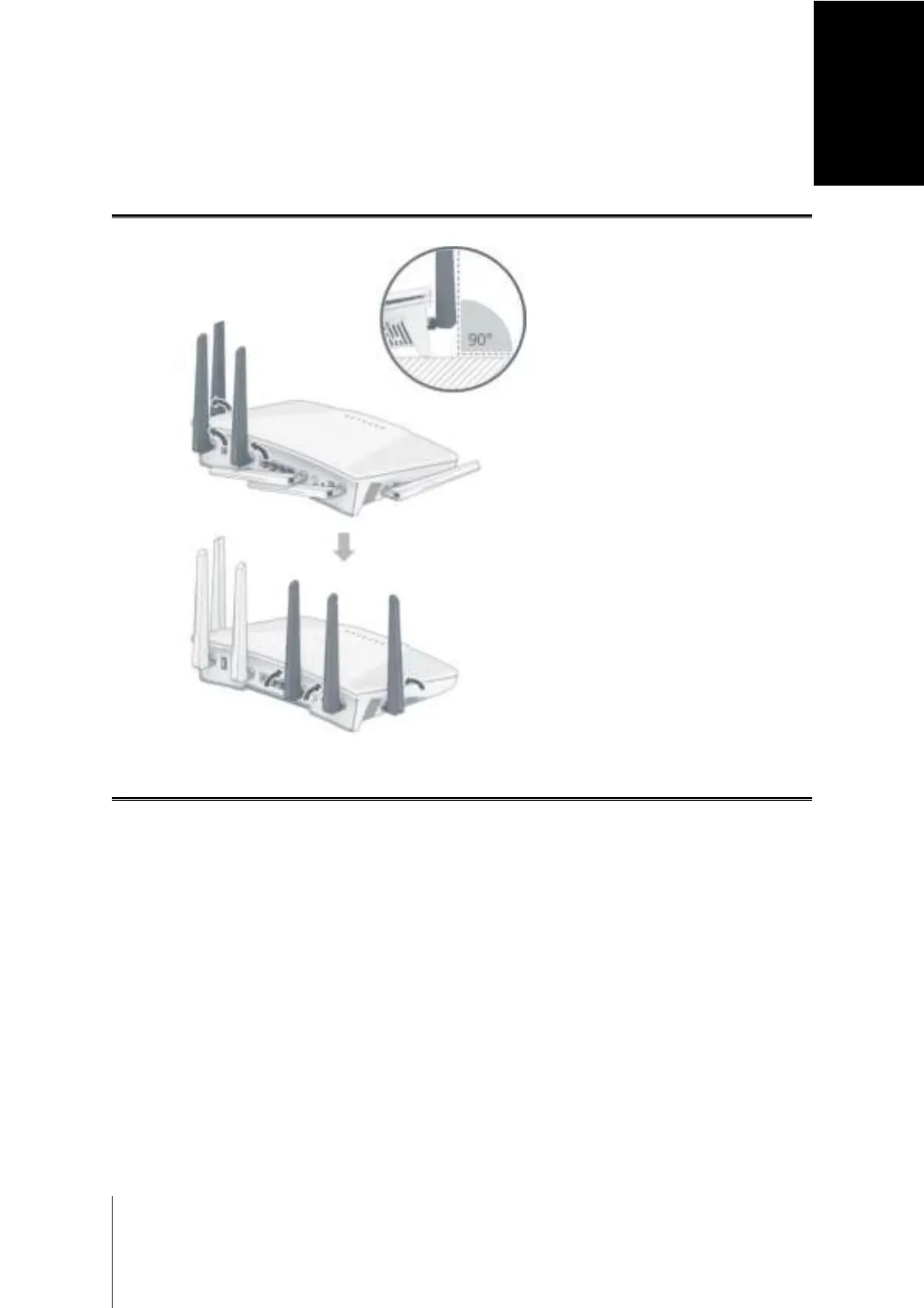
Adjust Antennas
For optimal Wi-Fi performance, tilt the antennas so that they are at a 90 degree angle to the surface.
Position Your RT6600ax
For optimal performance, it is recommended to position your RT6600ax as advised below:
• On a stable surface (e.g. an elevated shelf) away from any possible physical interruptions.
• Close to the center of the area where the wired/wireless client devices are placed, and within a visible
distance from the wireless devices.
• In a position where few walls and ceilings are between your RT6600ax and its client devices.
• Away from any potential electrical signal sources, such as other Wi-Fi routers, 3G/4G bases, and
microwave ovens.
• Away from large expanses of metal or other materials, such as metal doors, glass panels, and concrete.
Place Flat on a Surface
Simply place your RT6600ax flat on a horizontal, stable surface.
8


 To Next Page