Connect to Your RT6600ax
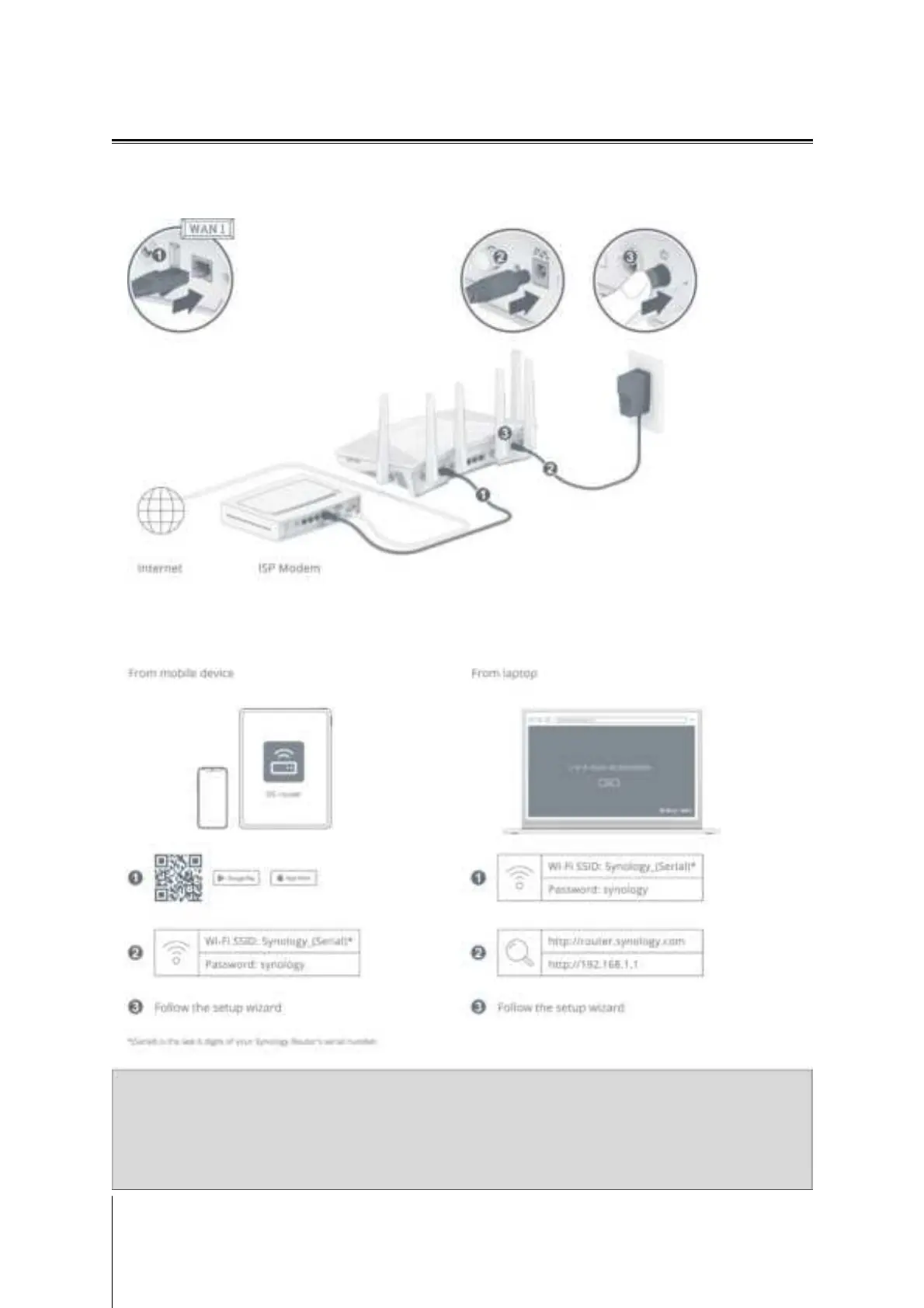
1 Use the included network cable to connect your RT6600ax (at the WAN1 port) to the ISP modem. Connect
one end of the power adapter to the power port on your RT6600ax, and the other end to the power outlet.
Press the power button to power on your RT6600ax. Wait for up to two minutes until the STATUS and WAN
LED indicators turn green.
2 Connect wireless client devices to your RT6600ax. When the Wi-Fi indicator has turned static green,
RT6600ax is ready to connect with other devices. Use your wireless device to scan and join the Wi-Fi network
created by your RT6600ax.
Note:
The default credentials for the Wi-Fi network:
• Wi-Fi SSID: Synology_(Serial)
• Password: synology
You can change it during the initial SRM setup.
9
Chapter 2: Hardware Setup


 To Next Page