EasyManua.ls Logo

Synology SA6400 - Page 34

Synology SA6400
59 pages
Print Icon
To Next Page IconTo Next Page
To Previous Page IconTo Previous Page
Loading...
33
C
h
a
pt
e
r
3
I
ni
t
i
a
l
S
yst
em
S
e
tup
3.1
S
t
a
rt
up
Y
our
S
y
n
o
l
o
g
y
N
A
S
T
o
st
a
rt
up
your
S
y
n
o
l
o
g
y
N
A
S
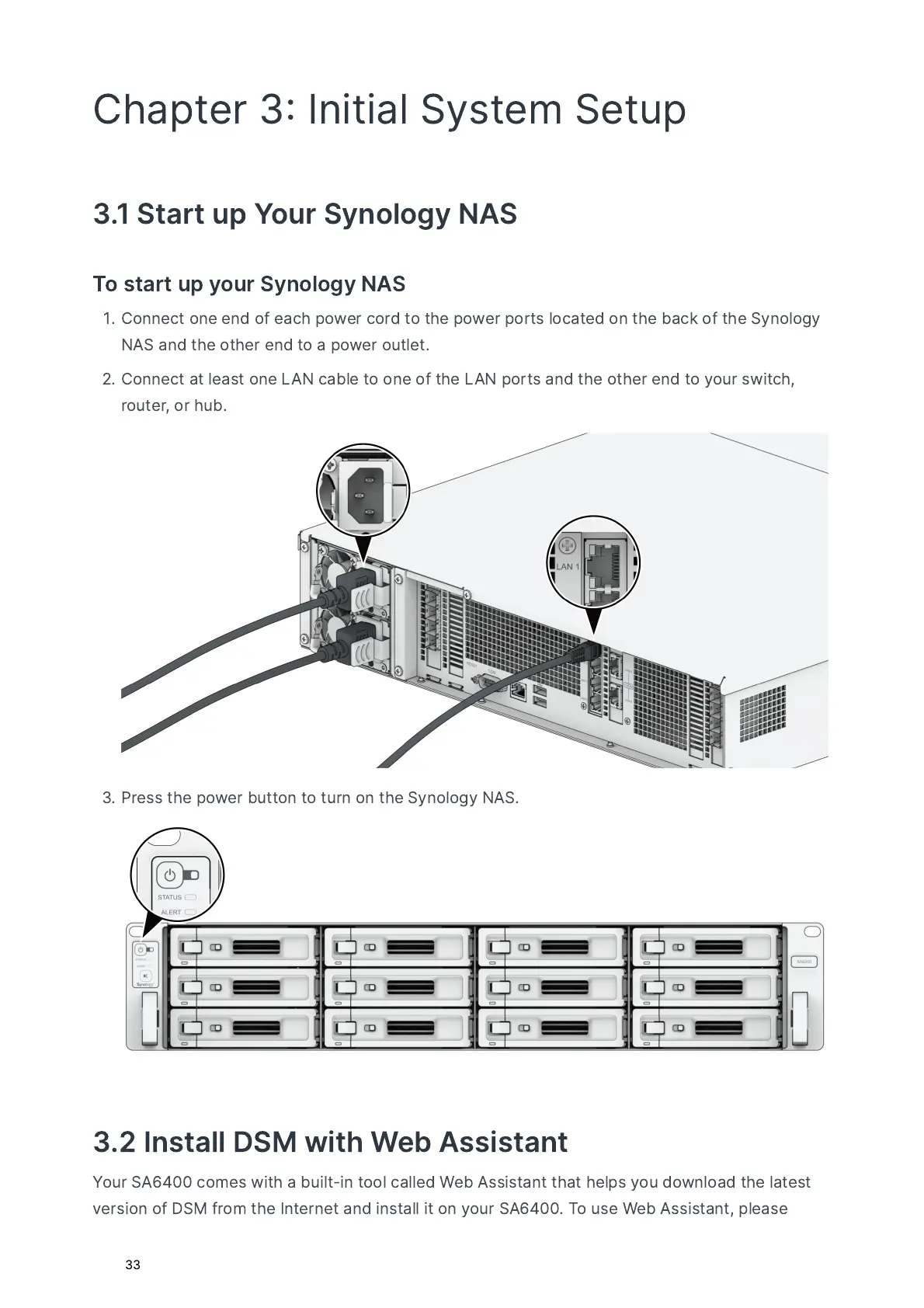
C
o
nnec
t
o
ne
end
o
f
e
a
ch
pow
e
r
c
or
d
to
t
he
pow
e
r
ports
l
o
c
a
t
ed
o
n
t
he
b
a
ck
o
f
t
he
S
y
n
o
l
o
g
y
N
A
S
a
nd
t
he
ot
he
r
end
to
a
pow
e
r
out
le
t
.
C
o
nnec
t
a
t
le
a
st
o
ne
L
A
N
c
a
ble
to
o
ne
o
f
t
he
L
A
N
ports
a
nd
t
he
ot
he
r
end
to
your
sw
i
t
ch
,
rout
e
r
,
or
h
u
b
.
P
r
e
ss
t
he
pow
e
r
b
utto
n
to
tur
n
o
n
t
he
S
y
n
o
l
o
g
y
N
A
S
.
3.2
I
n
st
a
ll
D
SM
w
i
t
h
W
eb
A
ss
i
st
a
n
t
Y
our
S
A
6400
c
o
me
s
w
i
t
h
a
b
u
il
t
-
in
too
l
c
a
lled
W
eb
A
ss
i
st
a
n
t
t
h
a
t
hel
ps
you
d
ow
nl
o
a
d
t
he
l
a
t
e
st
v
e
rs
i
o
n
o
f
D
SM
f
ro
m
t
he
I
n
t
e
r
ne
t
a
nd
in
st
a
ll
i
t
o
n
your
S
A
6400.
T
o
us
e
W
eb
A
ss
i
st
a
n
t
,
p
le
a
s
e

Related product manuals