
 Need help?
Do you have a question about the Synology RX1217 and is the answer not in the manual?
Lists all items included in the expansion unit package for verification.
Provides a visual guide to the front and back components of the expansion unit.
Details essential safety precautions to prevent harm and product damage.
Lists necessary tools and compatible drives for installing storage drives.
Step-by-step instructions on how to install 3.5" and 2.5" drives into the unit.
Guides on connecting the expansion unit to the main Synology RackStation.
Provides website link for additional information and online resources.
Instructions for opening the unit and replacing a faulty system cooling fan.
Procedure for replacing a faulty Power Supply Unit in the RX1217RP model.
The Synology RX1217/RX1217RP is an expansion unit designed to augment the storage capacity of a compatible Synology RackStation. This device serves as a crucial component for users requiring additional drive bays and raw storage, seamlessly integrating with the main RackStation unit to provide an extended storage solution. Its primary function is to house multiple hard drives, thereby expanding the overall storage pool available to the connected RackStation.
At its core, the RX1217/RX1217RP functions as a direct-attached storage (DAS) expansion unit. It connects to a Synology RackStation via an InfiniBand expansion cable, creating a single, unified storage system. This allows the RackStation to recognize and manage the drives within the expansion unit as if they were internal drives, enabling the creation of larger RAID volumes, increased storage for virtual machines, or simply more space for data archiving. The unit supports both 3.5" and 2.5" SATA III/SATA II drives, offering flexibility in drive choice depending on performance and capacity needs.
The RX1217/RX1217RP is designed for easy integration and operation. Once connected and powered on, the expansion unit synchronizes with the RackStation, allowing for centralized management of all drives through the DiskStation Manager (DSM) interface on the RackStation. This includes tasks such as creating and managing storage pools, volumes, and RAID configurations, as well as monitoring drive health and system status. The unit is hot-swappable, meaning drives can be added or removed without powering down the entire system, minimizing downtime and facilitating maintenance.
The RX1217RP model distinguishes itself by featuring a redundant power supply system. This critical feature enhances reliability and ensures continuous operation even if one power supply unit (PSU) fails. In such an event, the remaining PSU continues to power the unit, preventing data loss and maintaining system availability. This redundancy makes the RX1217RP particularly suitable for environments where uptime is paramount.
The RX1217/RX1217RP is engineered for straightforward setup and user-friendly operation. The process begins with installing drives into the unit's drive trays. Each tray is designed to accommodate either a 3.5" or 2.5" SATA drive, secured with screws to prevent movement. The trays are then easily inserted into the drive bays and locked into place, ensuring a secure connection. The unit features 12 drive bays, providing substantial expansion potential.
Connecting the expansion unit to the RackStation involves two key steps: power and data. Power cords are connected to the power ports on the back of the unit and then to power outlets. For the RX1217RP, two power cords are recommended to leverage its redundant power capabilities. The data connection is established using the supplied InfiniBand expansion cable, linking the expansion port on the RX1217/RX1217RP to the expansion port on the RackStation. This high-speed connection ensures efficient data transfer between the two units.
Once physical connections are made, the system powers on. The expansion unit is designed to automatically power on/off in conjunction with the connected RackStation, simplifying power management. This automatic synchronization ensures that the expansion unit is always ready when the RackStation is operational. The front panel of the unit includes several LED indicators and buttons that provide immediate feedback on the unit's status. These include a power button and indicator, an ALERT indicator for warnings (fan or temperature issues), a Beep Off button to silence alarms, and individual drive status indicators.
The drive status indicators are particularly useful, showing whether a drive is ready and idle, actively being accessed, or experiencing an error. This visual feedback allows users to quickly assess the health and activity of each installed drive. The LINK indicator on the back panel confirms the connection status between the expansion unit and the RackStation.
For the RX1217RP, additional indicators and controls related to the power supply units are present on the back panel. These include PSU indicators and a dedicated Beep Off button for PSU-related alarms, providing specific status information for the redundant power system.
The RX1217/RX1217RP is designed with maintainability in mind, allowing users to address common issues such as fan malfunctions or PSU failures (for the RX1217RP) with relative ease.
The unit incorporates system cooling fans to maintain optimal operating temperatures. If a fan malfunctions, the ALERT indicator on the front panel will signal a warning, and the system may emit a beeping sound. To replace a malfunctioning fan, users first press small buttons on the sides of the expansion unit to release the fan cover. The cover can then be lifted off, revealing the internal cooling fans. Each fan is secured with a tab; pressing this tab allows the user to lift the malfunctioning fan out of its slot. A new cooling fan can then be slid into place, ensuring it is properly aligned. This modular design simplifies the replacement process, allowing users to quickly restore optimal cooling without extensive technical expertise.
For the RX1217RP model, the redundant power supply system enhances reliability, but PSUs can still fail. If a PSU or its internal fan malfunctions, the PSU indicator on the back panel will signal an issue, and a beeping sound may be emitted. The Beep Off button on the back panel can silence this alarm. To replace a faulty PSU, the power cord for that specific PSU must first be unplugged. A lever on the back panel of the PSU is then pushed in the indicated direction, allowing the user to pull the PSU out of the expansion unit. A new PSU can then be prepared and pushed into the slot until it clicks into place, re-establishing power redundancy. This hot-swappable design for the PSUs means that a faulty unit can be replaced without powering down the entire expansion unit, further minimizing disruption to operations.
Overall, the Synology RX1217/RX1217RP expansion unit is a robust and user-friendly solution for extending Synology RackStation storage. Its design emphasizes ease of installation, clear operational feedback, and straightforward maintenance, making it a practical choice for businesses and individuals seeking scalable and reliable storage infrastructure.
 General
| AC input voltage | 100-240 V |
|---|---|
| AC input frequency | 50 - 60 Hz |
| Power consumption (typical) | 68.6 W |
| Number of power supply units | 1 |
| Power supply unit (PSU) capacity | 500 W |
| Noise level | 54.6 dB |
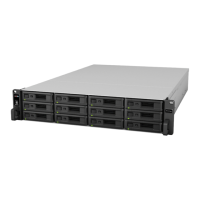
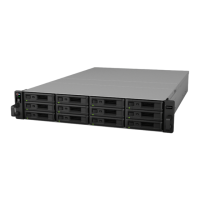
| Chassis type | Rack (2U) |
| Device class | - |
| Certification | FCC A, CE A, BSMI A |
| Product color | Black |
| Number of fans | 3 fan(s) |
| Compatible products | Synology RS3617xs |
| Data transfer rate | 6 Gbit/s |
| Storage drive size | 2.5/3.5 \ |
| Hot-swap drive bays | Yes |
| Storage drive interface | Serial ATA III |
| Storage drives installed | No |
| Supported storage drive types | HDD & SSD |
| Total installed storage capacity | 0 TB |
| Maximum supported storage capacity | 168 TB |
| Number of storage drives installed | 0 |
| Number of storage drives supported | 12 |
| Cables included | AC, InfiniBand |
| Sustainability certificates | RoHS |
| Storage temperature (T-T) | -20 - 60 °C |
| Operating temperature (T-T) | 5 - 35 °C |
| Operating relative humidity (H-H) | 5 - 95 % |
| Harmonized System (HS) code | 84717020 |
 Weight and Dimensions
| Depth | 664 mm |
|---|---|
| Width | 430.5 mm |
| Height | 88 mm |
| Weight | 12700 g |





 To Next Page