operation
22 Synrad Firestar ti-Series operator’s manual
Controls and indicators
The Controls and indicators section includes subsections:
■ ti-Series front panel
■ ti-Series rear panel
■ OEM ti60 side panel (SA models)
ti-Series front panel
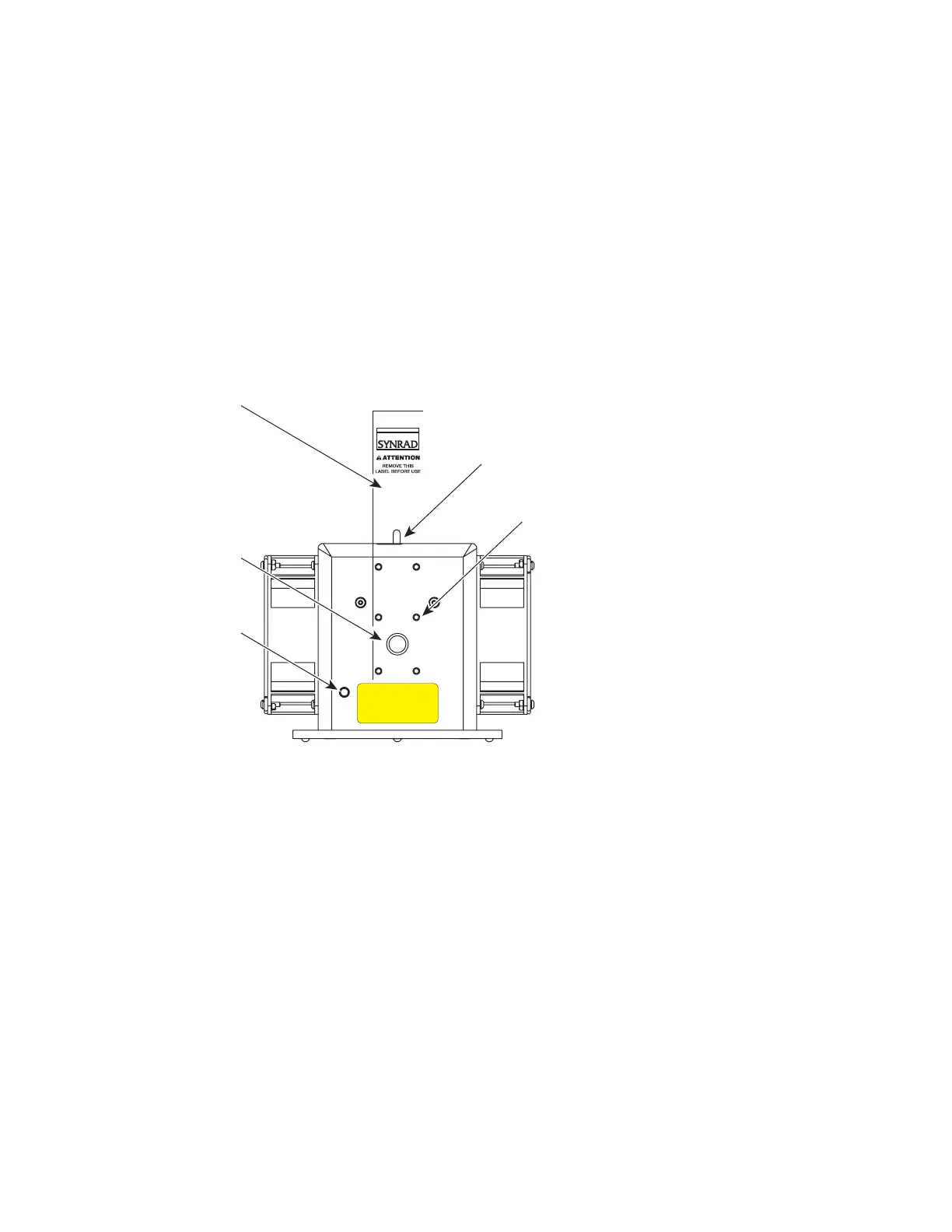
Figure 2-1 ti-Series front panel controls and indicators
1
Aperture Seal – prevents dust from damaging the output coupler during shipping. Remove the red
self-adhesive label before applying power to the laser.
2
Laser Aperture – provides an opening in Firestar’s faceplate from which the beam exits.
3
DP POWER Connector (except SA models) – provides a convenient +5 VDC, 50 mA receptacle to
power a visible red diode pointer (available from SYNRAD as an optional accessory).
4
Shutter Switch (Keyswitch models only) – activates a mechanical shutter that opens or closes the
laser aperture. Closing the shutter also interrupts RF power to the laser. There is a five-second delay
imposed from the time the shutter is opened to the time that PWM signals are accepted.
5
Optical Accessories Mounting – provides six threaded holes (8–32 UNC) for mounting optional
beam delivery components Because excessive weight may damage the laser, consult SYNRAD before
mounting components not specifically designed as Firestar options. Refer to Firestar ti-Series package
outline drawings in the Technical Reference chapter for mounting hole dimensions.
Note: When mounting optical components to ti-Series lasers, the 8–32 UNC fasteners must extend no
further than 0.19" (4.8 mm) into the laser’s faceplate.
(Fan-Cooled ti60 Shown)
AVOID EXPOSURE
Invisible laser radiation
is emitted from
this aperture.
2
5
3
4
1



 To Next Page
 Loading...