technical reference
312 Synrad Firestar ti-Series operator’s manual
User I/O connections
Input/output signals
Firestar’s input/output signals are divided into three categories: auxiliary DC power, input signals, and out-
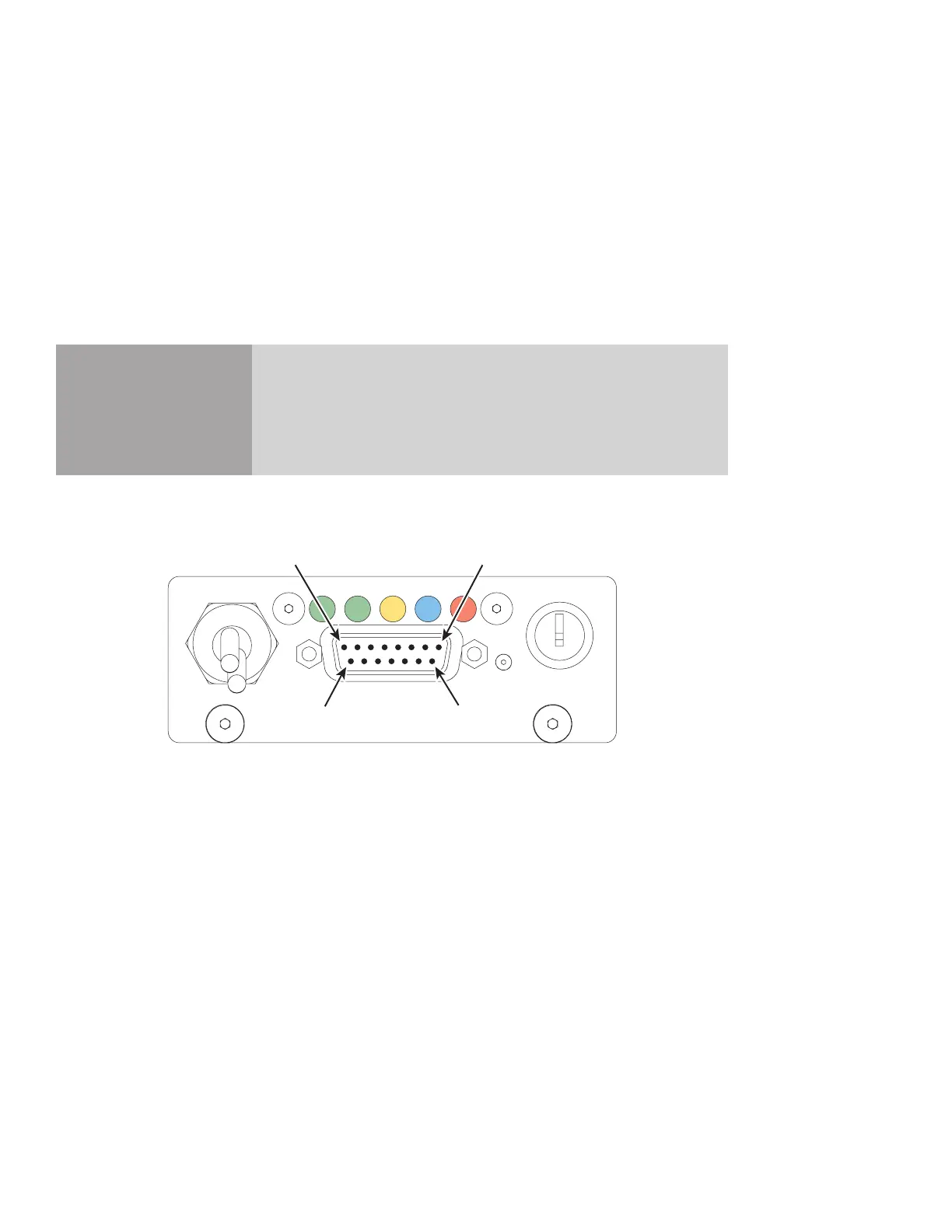
put signals. Signals in each category are fully described in the section below. Figure 3-6 illustrates the pin
arrangement of the User I/O (15 pin female D-type subminiature) connector on the laser’s rear panel.
Note: See DB-9 connections later in this section for signal descriptions and pinouts of the SA model’s
side-mounted DB-9 connector.
Caution
possible
equipment
damage
Turn off DC power before installing or removing any plug or cable
from the User I/O connector. Ensure that user connections are made
to the appropriate pins and that the appropriate signal levels are ap-
plied. Failure to do so may damage the laser.
Figure 3-6 User I/O connector pinouts
USER I/O
INT
TMP RDYSHT LASE
Pin 8
Pin 1
Pin 15
Pin 9
ON
OFF



 To Next Page
 Loading...