Gn (Group number)
Pn (Channel number)
Explanation
1
1
1 ~ 99
1 ~ 99
gn01 ~ gn99
Pn01 ~ Pn99
g01 ~ g99(GP-200R)
P01 ~ P99(GP-200R)
Identication number to avoid the interference
with the same products of surrounding users
FUN
DEL
Press it longer
FUN
DEL
Press it longer again Input the password
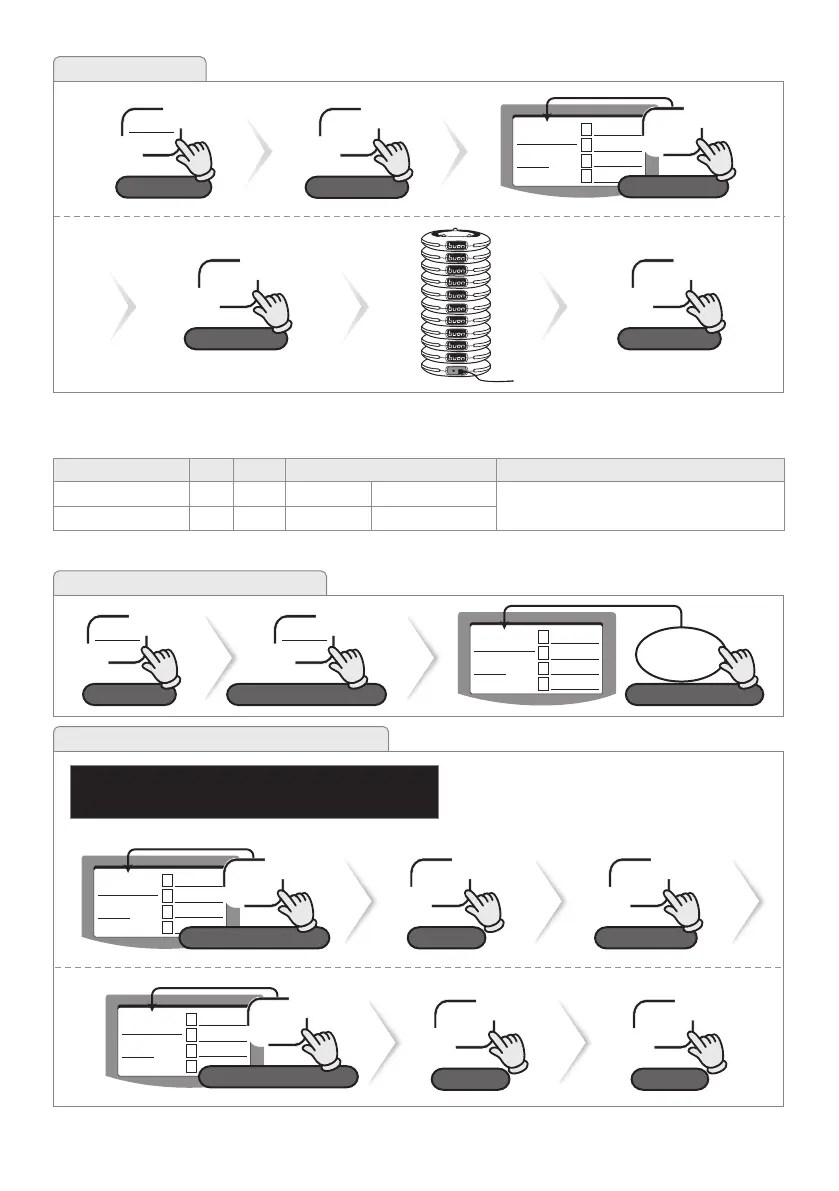
4-2-1. How to Enter Extended Functions
※ For GP-200R, Gn/Pn indicates as g/p.
1
2
3
4
1
P1 GP2
N
Gn
-----
-n
95790
4-2-2. Setting Group Number & Channel Number
ex) Gn : 44, Pn : 33
※ Group & Channel numbers can be set only once at rst.
Initalization is required when needs to change.
CALL
Save
NEXT
Move to [Pn]
CALL
Save
ESC
Exit
1
2
3
4
1
P1 GP2
N
Gn
44
Gn
-n
Input Group number
4d
1
2
3
4
44
P1 GP2
N
Gn
33
Pn
-n
Input Channel number
3C
4-2. Extended Functions ( * This menu is protected by password. )
CALL
Save
ESC
Exit
1
2
3
4
1
P1 GP2
N
Gn
1
Bu
-n
0 - off 1- on
1A
FUN
DEL
Press it longer
4-1-3. Buzzer Setting
NEXT
Move to [Bu]
×5
Initial Range DisplayMenu


 To Next Page