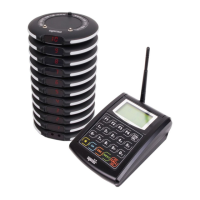
Need help?
Do you have a question about the Syscall Nttworks SB-700 and is the answer not in the manual?
Details the pager, power adapter, and user manual included with the device.
Outlines key technical details such as frequency, power, battery, dimensions, and weight.
Highlights the main functionalities and characteristics of the pager.
Describes the layout and information shown on the pager's home screen.
Explains how received messages are displayed and managed on the pager.
Provides an overview of the four main setup menus: Bell, Sound, Display, and Tools.
Guides through new bell registration and re-registration under different Bell IDs.
Explains how to set the Pn/Gn when working with a multi-transmitter.
Details how to register a clear bell for each registered bell.
Provides instructions on how to delete a registered bell from the SB-700.
Explains how to use three buttons for Call/Bill/Clr/3bell images.
Guides on how to set the time displayed on the pager.
Explains how to set the display type from available options (430/440/350/A10).
Details settings for delay time, alarm time, and clear bell sound.
Guides through self-testing button keys, sound, RF, and screen.
Explains how to view device information and set the User ID.
Details how to copy registered bell information and setup data to other pagers.
Provides instructions for initializing the device and removing all data.

 To Next Page
 General