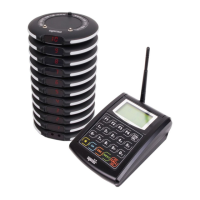
Press the bell to check
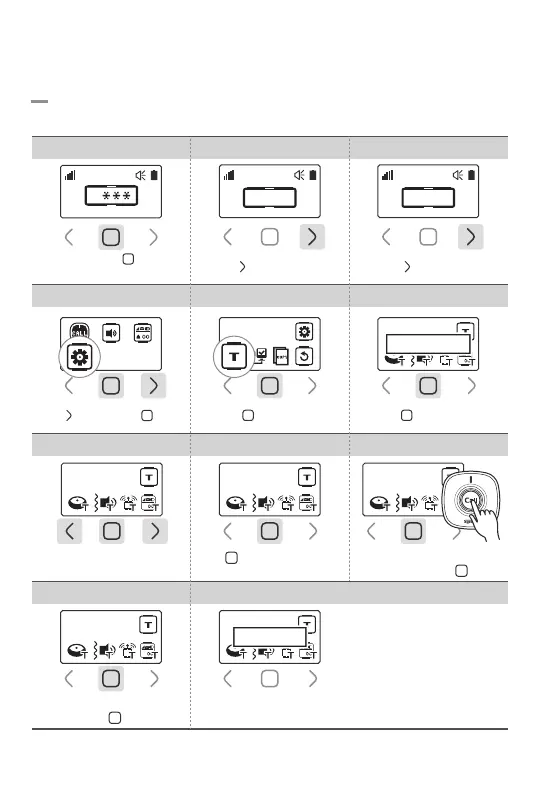
RF receiving then tap ‘ ’ button
8.Tools
8-1. Self-Test Mode
Self-test of button keys, sound, RF and screen.
4. Select Tools 5.Select Test Mode
Test Mode
6.Start Self-Testing
Continue?
7.Button Key Test 9.RF Test8.Sound Test
Press Button Key
Tap all the button keys
Tap ‘ ’ button after check
the sound
Sound OK? Press the Bell
10.Screen Test 11.Test Completed
Look at Screen
Check the screen
then tap ‘ ’ button
Completed
Tap ‘ ’ 3 times then ‘ ’ once
Tap ‘ ’ button once Tap ‘ ’ button once
Touch and hold ‘ ’ button
for 1sec
1. Password Field 2.Enter Password 0000 3.Go to Settings
Tap ‘ ’ button 3 times
0
0 0 0 0
Tap ‘ ’ button once
0 0 0 0
-16-

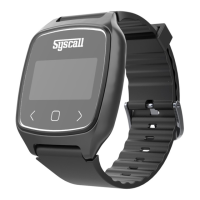

 To Next Page