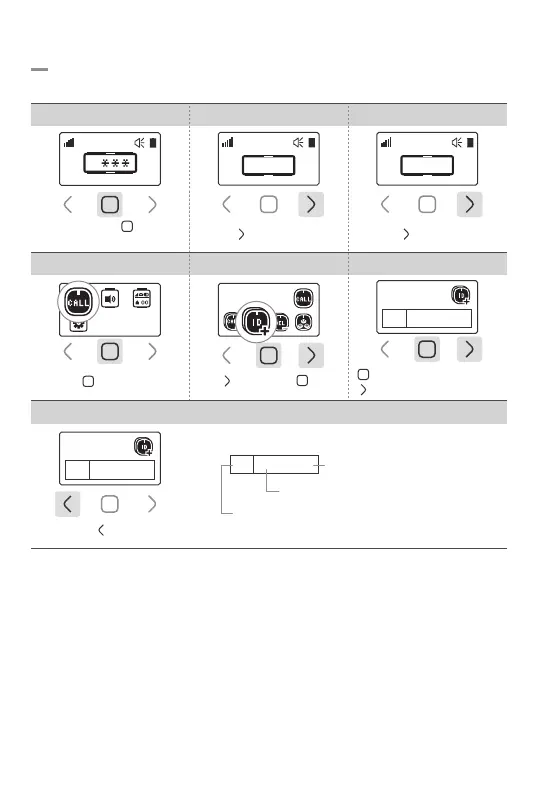
Tap ‘ ’ button
: Increase number
: Shift the cursor position
*If a Channel/Group number is registered in the product, it may be used in separation among products,
with ID allocated. Channel numbers may be set 01~99 and group numbers 00~99.
And multiple group numbers may be selected in a range.
Pn/Gn Setting
Enter Pn/Gn
01 06, 00-02
01 06, 00-02
(Pn) : Channel number
(Gn) : Group number
Group number range
Touch and hold ‘ ’ button
for 1sec
1. Password Field 2.Enter Password 0000 3.Go to Settings
Tap ‘ ’ button 3 times
5-2. Channel/Group Number Setting
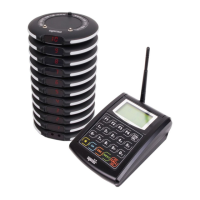
Set Pn/Gn when it works with a multi-transmitter.
Tap ‘ ’ button once
4.Select Bell Setting 5.Select Pn/Gn Setting 6.Enter Pn/Gn
Tap ‘ ’ once then ‘ ’ once
7.Save & Exit
0
0 0 0 0
Tap ‘ ’ button once
0 0 0 0
Enter Pn/Gn
01 06, 00-02
-8-



 To Next Page