EasyManua.ls Logo

SystemAir K Series - User Manual

SystemAir K Series
36 pages
Print Icon
To Next Page IconTo Next Page
Loading...
Installation, Operation and Maintenance instruction EN
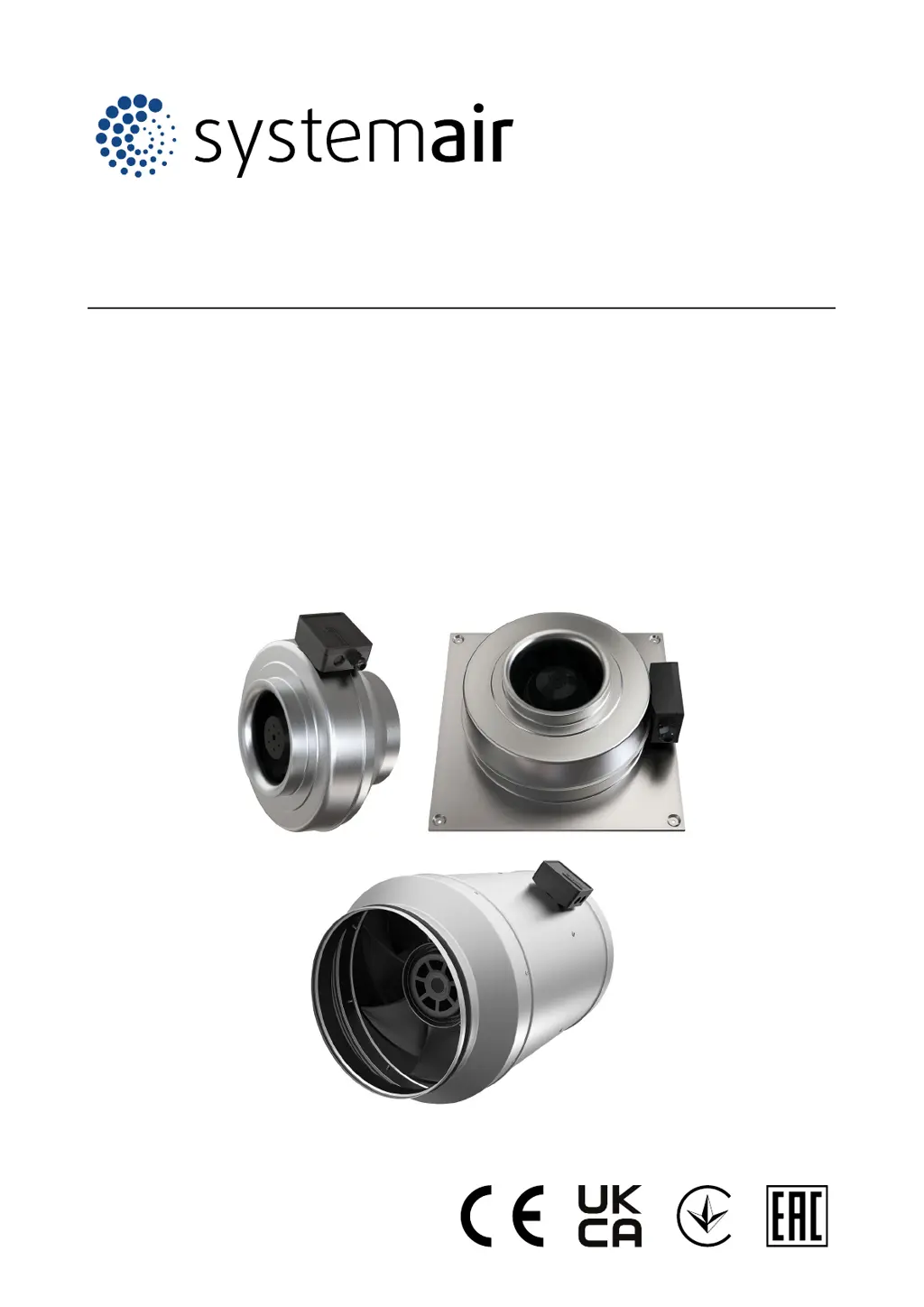
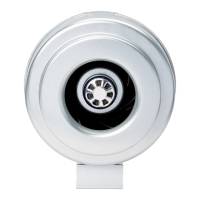
K Circular duct fan AC/EC
KV Circular duct fan for wall AC/EC
Prio Circular duct fan AC/EC

Table of Contents

Other manuals for SystemAir K Series

Questions and Answers

  • W
    williamsashleyJul 27, 2025
    What to do if SystemAir Fan air output is not sufficient?
    • D
      David LopezJul 27, 2025
      If the air output of your SystemAir Fan is not sufficient, consider these possible causes and solutions: * Ensure the fan impeller turns in the correct direction by verifying the electrical connection. * Check that the electrical connection matches the wiring diagrams. * Adjust the airflow shutters to ensure they are fully open. * Remove any blockage in the air inlet or duct system. * Confirm the product is suitable for the installation location. * For EC motors, check the ambient temperature and ensure sufficient space around the motor for cooling. If the air pressure is too low, make necessary changes to the duct system and installed components to increase it.
  • M
    Maria MayJul 31, 2025
    Why SystemAir Fan motor does not rotate?
    • R
      Rachel WilsonJul 31, 2025
      If the motor of your SystemAir Fan does not rotate, it could be due to several reasons: * A component in the power supply might be defective; check the power supply, replace any defective components, and reconnect it. * The electrical connection may be incorrect; ensure it agrees with the wiring diagrams. * The motor protection might be released due to overheating; let the motor cool, reset the motor protection, and identify the cause of overheating. * A phase loss might have occurred; if it's a 3-phase motor, ensure no phase is missing.
  • K
    Krista JohnsonAug 5, 2025
    How to fix unusual noise when SystemAir K Series Fan starts or operates?
    • B
      brenda81Aug 5, 2025
      If there is unusual noise when your SystemAir Fan starts or operates, it might be due to strain in the duct system connections. To resolve this, loosen the connections, correctly align the parts of the duct system, and then tighten the connections.
  • N
    nicholsericaAug 9, 2025
    What to do if SystemAir K Series Fan does not operate smoothly?
    • K
      Kathy CarrollAug 9, 2025
      If your SystemAir Fan does not operate smoothly, consider the following: * Ensure the electrical connection is correct so that the fan impeller turns in the correct direction. * Clean the fan impeller carefully if there is dirt on it. * If the fan impeller has deformations because of too high temperatures: * Replace the fan impeller. * Make sure that the temperature of the transported air is not higher than the value on the name plate. * Ensure the product is correctly installed and check the duct system if there are unusually strong vibrations in the product or the duct system. * Increase or decrease the fan speed until the product operates smoothly if it is operated in a resonant frequency range.
  • M
    Michelle WardAug 13, 2025
    Why is SystemAir Fan electronic components or the motor overheated?
    • T
      Tyler ClarkeAug 13, 2025
      If the electronic components or the motor of your SystemAir Fan is overheated, it could be due to: * Motor overload or high ambient temperature. Let the motor cool, reset the motor protection, and find the cause of the overheating. * Insufficient cooling. Ensure adequate space around the motor for cooling. * The product is not applicable for the installation location.
  • J
    jeffreyvaughanAug 17, 2025
    What to do if SystemAir K Series speed does not get the nominal value?
    • D
      David CooperAug 18, 2025
      If the fan speed of your SystemAir Fan does not reach the nominal value, consider these possible causes: * Defective motor winding: If possible, measure the resistance to check the motor winding. * Incorrect speed control setting: Set the speed control correctly. * Mechanical blockage: Remove any blockage preventing the fan impeller from turning freely. * Phase loss: If it is a 3-phase motor, ensure that no phase is missing.
  • A
    Anthony HaysAug 22, 2025
    What causes SystemAir K Series thermal contacts, PTC or resistors to be released?
    • B
      Bryan WarrenAug 22, 2025
      If thermal contacts, PTC, or resistors are released in your SystemAir Fan, it could be due to several reasons: * Ensure the fan impeller turns in the correct direction by verifying the electrical connection. * If the motor is a 3-phase motor, make sure that no phase is missing. * The motor may be overheated. Check the motor cooling impeller, and if possible, measure the resistance to check the motor winding. * The capacitor may not be connected correctly. Connect the capacitor correctly, referring to the included motor wiring diagram. Note: This is not applicable for EC motors or 3–phase AC motors.

Summary

Introduction

Product description

Detailed description of the circular duct fan, its casing, and available accessories.

Intended use

Specifies the intended applications, temperature, humidity, and environmental conditions for the product.

Document description

Information about the document's content, procedures, and personnel requirements.

Product overview K fan and KV fan

Illustrates and labels the components of the K and KV fan models.

Product overview prio fan

Illustrates and labels the components of the prio fan model.

Name plate

Explains the information provided on the product's name plate.

Type designation

Provides a detailed table of product types, dimensions, and motor types.

Product liability

Outlines Systemair's liability for product damages under specific conditions.

Safety

Safety definitions

Defines warnings, cautions, and notes used throughout the manual.

Safety instructions

Provides essential safety instructions and warnings to follow before working on the product.

Personal protective equipment

Lists the required personal protective equipment for safe operation and maintenance.

Transportation and storage

Installation

To do before the installation of the product

Checks and preparations required before installing the product.

To install the K fans

Instructions for installing the K series duct fans, including mounting bracket.

To install the mounting bracket for K fans

Detailed steps for attaching the mounting bracket to K fans.

To install the KV fans

Instructions for installing the KV series duct fans.

To install the prio fans

Instructions for installing the prio series duct fans.

To connect the ducts to the product

Guidance on how to connect ductwork to the fan product.

Electrical connection

To do before the electrical connection

Pre-connection checks for electrical safety and compatibility.

To connect the product to the power supply

Steps for connecting the fan to the main power supply, including safety measures.

Speed controller for EC motors

Information on using speed controllers with EC motors.

Motor protection for EC motors

Details on integrated motor protection for EC motors.

Speed controller for AC motors

Information on selecting and using speed controllers for AC motors.

To install motor protection for AC motors

Instructions for installing motor protection for AC motors.

Commissioning

To do before the commissioning

Pre-commissioning checks for installation and electrical connections.

To do the commissioning

Step-by-step guide for commissioning the product and verifying its operation.

Operation

To start a product with an EC motor

Procedure for starting the fan when equipped with an EC motor.

To start a product with an AC motor

Procedure for starting the fan when equipped with an AC motor.

To stop the product

Instructions for safely stopping the fan during normal operation.

To stop the product in an emergency

Procedure for emergency shutdown of the fan.

Maintenance

Maintenance schedule

A schedule outlining regular maintenance tasks based on operating conditions.

To clean the product

Instructions and precautions for cleaning the fan and its components.

Spare parts

Information on how to obtain spare parts for the product.

Troubleshooting

Disposal

To disassemble and discard the parts of the product

Steps for disassembling and disposing of product parts and packaging.

Warranty

Technical data

Technical data overview

Summary of key technical specifications such as temperature, sound, and IP class.

Product dimensions

Detailed dimensional drawings and tables for K fans.

Product dimensions for K fans

Tables and diagrams showing the physical dimensions of various K fan models.

Product dimensions for KV fans

Tables and diagrams showing the physical dimensions of various KV fan models.

Product dimensions for prio fans

Tables and diagrams showing the physical dimensions of various prio fan models.

Wiring diagrams

Illustrates electrical wiring configurations for different fan models and motor types.

Wiring diagrams for AC fans

Wiring diagrams specific to AC fan models and their connections.

Wiring diagrams for EC fans

Wiring diagrams specific to EC fan models and their connections.

Wiring diagrams for speed controller for AC motors

Wiring diagrams showing connections for speed controllers for AC motors.

Wiring diagrams for speed controllers for EC motors

Wiring diagrams showing connections for speed controllers for EC motors.

Accessory overview

EU Declaration of Conformity

UK Declaration of Conformity

SystemAir K Series Specifications

General IconGeneral
BrandSystemAir
ModelK Series
CategoryFan
LanguageEnglish

Related product manuals