English
Done
Com
Scheduler
Archive
1/4
Full>Wait 2m for Restart
Execute
1/3
Execute
1/2
Readwrite
BSP load
a-snapshot sa.-> SD
Sett. service save
Sett. factory load
Sett. service load
Restart required !
Filter
+Settings load <- SD
Settings save-> SD
SD-Card
1/10Save / load
0.0 h
0
0.0 h
-Reversing valve
Compressor
1/3Operation hours
Save / load
Operation hours
1/2Service
Access
Services
Commissioning
Status
1/4Main Menu
Done
Com
Scheduler
Archive
1/4
Full>Wait 2m for Restart
Execute
1/3
Execute
1/2
Readwrite
BSP load
a-snapshot sa.-> SD
Sett. service save
Sett. factory load
Sett. service load
Restart required !
Filter
+Settings load <- SD
Settings save-> SD
SD-Card
1/10Save / load
0.0 h
0
0.0 h
-Reversing valve
Compressor
1/3Operation hours
Save / load
Operation hours
1/2Service
Access
Services
Commissioning
Status
1/4Main Menu
Done
Com
Scheduler
Archive
1/4
Full>Wait 2m for Restart
Execute
1/3
Execute
1/2
Readwrite
BSP load
a-snapshot sa.-> SD
Sett. service save
Sett. factory load
Sett. service load
Restart required !
Filter
+Settings load <- SD
Settings save-> SD
SD-Card
1/10Save / load
0.0 h
0
0.0 h
-Reversing valve
Compressor
1/3Operation hours
Save / load
Operation hours
1/2Service
Access
Services
Commissioning
Status
1/4Main Menu
35SysAer
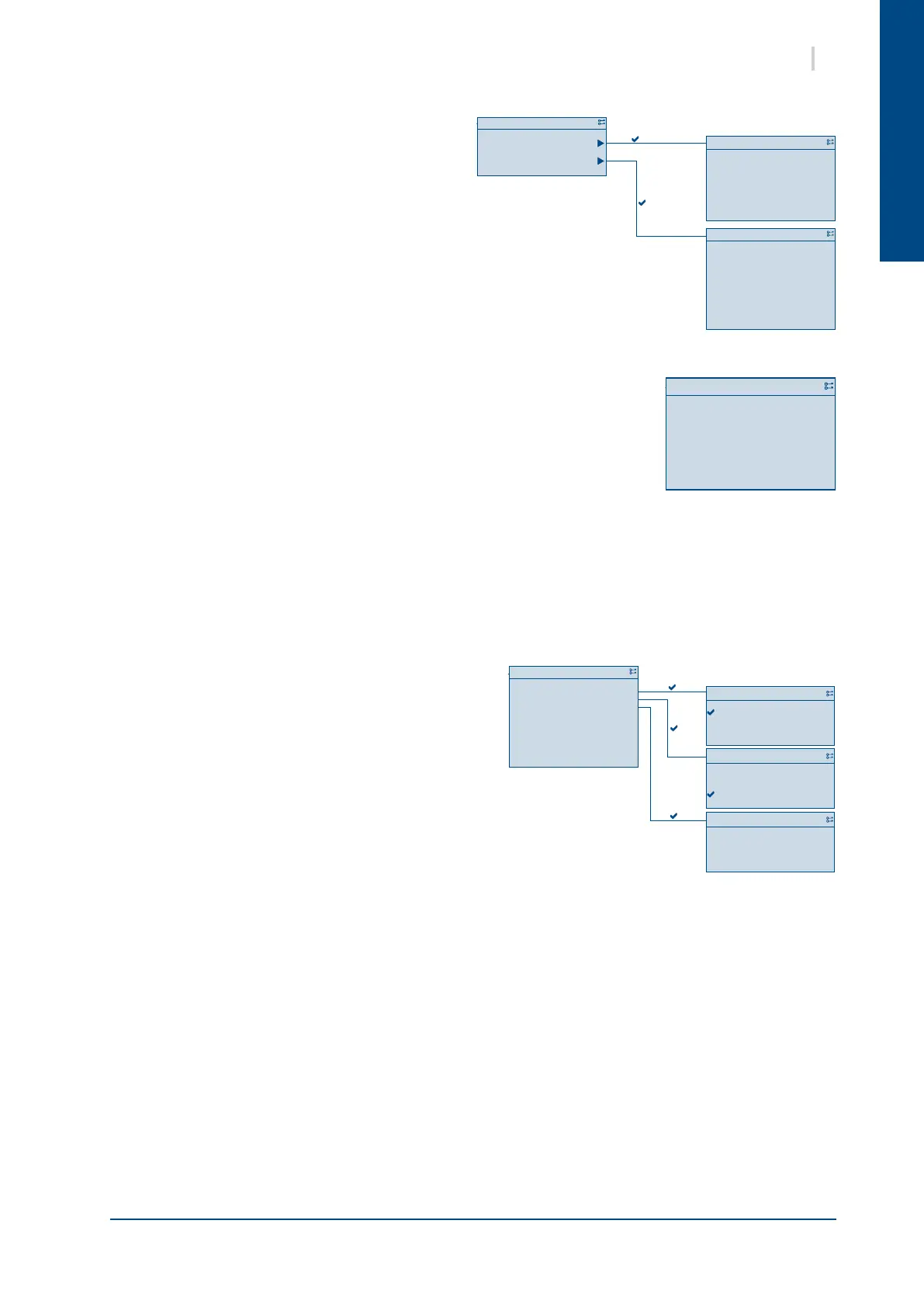
7.9. SERVICE MENU
Limited access with the "Maintenance" prole.
7.9.1. OPERATION TIME
On this screen is used to view:
² for each compressor
the operation time
the number of cycles
² for each reversing valve
the operation time.
7.9.2. SAVE / LOAD
The Save/Load menu is used to manage the parametering of the unit
² SD-Card indicates if an SD card is in the controller and its state : read/write or read only
² Setting save-> SD: save the curent parameter le on the SD-Card
² Setting load<- SD: Replace the current unit
parametring with the parameter l of the SD-Card
² Filter: Indicates the les which have not to be
saved on the SD-card
² Sett.service load: Load the parameters which
have been saved previously with the Sett.factory
save menu
² Sett.factory load: Load the parameters of the unit
when delivered by the factory
² Sett.service save: Save the current parameter of
the unit on the controller
² a-snapshot sa.-> SD: Saves the alarms to the SD card
² BSP load: Updates the Bios


 To Next Page