EasyManua.ls Logo

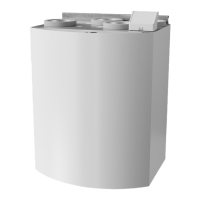
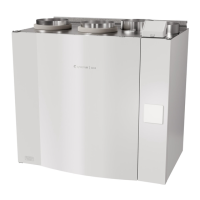
SystemAir SAVE VTR 500 - User Manual

SystemAir SAVE VTR 500
96 pages
Print Icon
To Next Page IconTo Next Page
Loading...
Document translated from English | 211564 · A002
SAVE VTR 500
GB User Manual................................................2
SV Användarhandbok .....................................24
DE Bedienungsanleitung .................................46
FI Käyttöohje................................................72

Table of Contents

Other manuals for SystemAir SAVE VTR 500

Questions and Answers

  • D
    David SmithJul 31, 2025
    How to troubleshoot SystemAir Air Handlers when the fans do not start?
    • S
      Stacey LoganJul 31, 2025
      If the fans in your SystemAir Air Handlers aren't starting, begin by checking the HMI for any alarms. Next, verify that all fuses and fast couplings are properly connected, including the main power supply and the fast couplings for both supply and extract air fans. Also, ensure that the week schedule is turned ON and running in AUTO mode, as it might be in OFF mode with the airflow set to OFF.
  • C
    ccummingsAug 6, 2025
    What to do if my SystemAir Air Handlers have low supply air temperature?
    • A
      Andre SanfordAug 6, 2025
      If you're experiencing low supply air temperature with your SystemAir Air Handlers, check the display for any alarms. Also, verify if the Defrosting function is active in the HMI screen. Ensure the set supply air temperature in the HMI is correct and that ECO mode is not activated. Check if user modes like HOLIDAY, AWAY, or CROWDED are activated in the HMI or via a hardwired switch. Verify that the temperature sensors are functioning correctly by checking the analogue inputs in the service menu. If you have an electrical re-heater, check if the overheat protection thermostat is active and reset it if necessary. Also, check if the extract filter needs to be changed. If the unit has a re-heater battery connected, consider that very cold outdoor conditions might require it.
  • S
    Stacey RothAug 12, 2025
    How to reduce noise and vibrations in SystemAir Air Handlers?
    • A
      Anthony PhelpsAug 12, 2025
      To address noise and vibrations in your SystemAir Air Handlers, start by cleaning the fan impellers. Ensure that all screws holding the fans are properly tightened. Check that the anti-vibration lists are correctly fitted to the mounting bracket and the back of the unit. If your unit has a rotating heat exchanger, verify that the rotor belt is not slipping.
  • V
    vanessa92Aug 18, 2025
    What to do if SystemAir Air Handlers unit cannot be controlled?
    • J
      James McdowellAug 18, 2025
      If your SystemAir Air Handlers unit's control functions are stuck, try resetting them by unplugging the unit for 10 seconds. Additionally, check the modular contact connection between the HMI and the main printed circuit board.
  • J
    Justin StephensOct 25, 2025
    Why is there reduced airflow in my SystemAir Air Handlers?
    • M
      Mark McdanielOct 25, 2025
      If you're experiencing reduced airflow in your SystemAir Air Handlers, there are several potential causes: * The unit might be in defrost mode, which reduces fan speed or shuts down the supply air fan. * The outdoor airflow compensation function might be active if the outdoor air temperature is below 0°C. * A temporary user mode like AWAY or HOLIDAY could be activated, or digital inputs like CENTRAL VACUUM CLEANER and COOKER HOOD might be in use. Additionally, make sure to check the HMI for alarms, the airflow settings in the HMI, and the week schedule settings. It's also important to ensure that the filters, diffusers/louvres, fans, and heat exchange block are clean. Furthermore, check the building's air intake and exhaust for clogs, and inspect duct runs for damage or dust buildu...

Summary

Safety and Product Identification

General Safety Warnings

Critical safety instructions for unit operation and maintenance.

System Configuration - Operation Modes and Settings

System Configuration - Scheduling

Unit Maintenance - Safety and Access

Maintenance Safety Warnings

Critical safety warnings before performing maintenance.

Unit Maintenance - Component Servicing

Filter Maintenance

Steps for filter replacement and timer reset.

Duct System Maintenance and Troubleshooting

General Troubleshooting

Steps for diagnosing and resolving common unit issues.

Alarm Management and Error Handling

Alarm List and Explanations

Comprehensive list of alarms and their meanings.

Alarm Troubleshooting Actions

Actions to resolve specific alarms and sensor malfunctions.

SystemAir SAVE VTR 500 Specifications

General IconGeneral
BrandSystemAir
ModelSAVE VTR 500
CategoryAir Conditioner
LanguageEnglish

Related product manuals