EasyManua.ls Logo

Systembuild Evolution 7532296COM - User Manual

Systembuild Evolution 7532296COM
26 pages
Print Icon
To Next Page IconTo Next Page
Loading...
B347532296COM04GO
- Unit can tip over causing severe injury or death.
- Anchor unit to stud in wall (if instructed to).
- Do Not allow children to climb on unit.
- Put heavy items on lower shelves or drawers.
WARNING
THIS INSTRUCTION BOOKLET CONTAINS IMPORTANT SAFETY INFORMATION. PLEASE READ AND KEEP FOR FUTURE REFERENCE.
Do Not Return This Product!
Contact our customer service team for help first.
Call: 1-800-489-3351 (toll free)
Monday-Friday 9am - 5pm CST
Visit: www.ameriwoodhome.com
Follow Ameriwood Home
Date of Purchase ___ / ___ / ___
Lot Number:
7532296COM
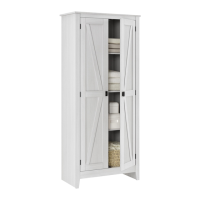
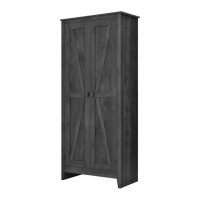
2 Door Storage Cabinet
Tube
You
Assembly Difficulty Meter
Easy
Tough
Question and Answer IconNeed help?

Do you have a question about the Systembuild Evolution 7532296COM and is the answer not in the manual?

Summary

Do Not Return This Product!

Customer Service Contact

Contact customer service for assistance via phone or website.

Important Safety Warnings

General Safety Precautions

Follow safety guidelines to prevent tipping, injury, and ensure stability.

Helpful Assembly Hints

Preparation and Sorting

Prepare your workspace and organize parts before assembly.

Assembly Techniques

Guidance on using specific hardware and maintaining the unit.

Before You Start

Assembly Checklist

Review steps, count parts, and gather necessary tools before assembly.

Tool Usage Caution

Cautionary advice for using power tools to avoid stripping screws.

Cam Lock Fastening System

Cam Lock Operation

Illustrates the proper use and function of the cam lock system.

Board Identification

Parts Overview

Identifies all components and their respective quantities for assembly.

Hardware Part List

Hardware Components

Details all hardware components with their reference numbers and quantities.

Step 1: Initial Assembly

Attaching G and I to A

Connect parts G and I to part A using specified hardware.

Step 2: Securing F and I

Attaching 16 to F and I

Attach part 16 to F and I using hardware 6.

Step 3: Attaching Hinges

Attaching Hinges to L and M

Mount hinges (18) to parts L and M using screws (11).

Step 4: Assembling Frame Panels

Connecting B, C, D, and H

Assemble side panels (B, C), shelf (D), and apron (H) with hardware.

Step 5: Securing Shelves and Apron

Securing L, M, and H with Cam Locks

Use cam locks (1) to attach parts L, M, and H; cover holes with (13).

Step 6: Attaching Shelves to Cabinet

Connecting D and F to B and C

Attach shelves D and F to side panels B and C using cam locks (1).

Step 7: Attaching Top Panel

Attaching A to Sub-assembly

Attach top panel A to the main assembly using cam locks (1); cover holes.

Step 8: Installing Back Panel

Securing Back Panel N

Attach back panel N using screws (8), ensuring the unit is square.

Step 9: Installing Adjustable Shelves

Placing Shelf Supports and Shelves

Insert shelf supports (14) and place adjustable shelves (E) into the unit.

Step 10: Attaching Doors

Mounting Doors J

Attach doors (J) using hardware (11), (5), (4), (7), and (15).

Step 11: Anti-Tipping Safety Installation

Securing Unit to Wall

Install the anti-tipping bracket to the wall for safety.

Step 12: Door Adjustment

Adjusting Vertical and Side Height

Instructions on how to adjust door height and alignment.

Maximum Load Capacity

Load Limit Guidelines

Details the maximum weight capacity for each shelf and the unit.

Certificate of Conformity

Information regarding product compliance with safety standards.

Product Registration and Feedback

Registration Benefits

Benefits of registering your product online.

Customer Feedback

Encouragement for customers to rate and provide feedback.

Systembuild Evolution 7532296COM Specifications

General IconGeneral
CategoryIndoor Furnishing
Model Number7532296COM
BrandSystembuild Evolution
MaterialEngineered Wood
FinishWhite
Number of Shelves4
Assembly RequiredYes
Product TypeCabinet
Door TypeHinged

Related product manuals