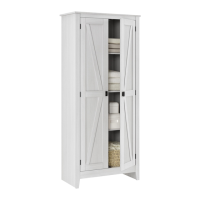
Need help?
Do you have a question about the Systembuild Evolution 7532196COM and is the answer not in the manual?
Contact details for customer service and product return assistance.
Essential safety guidelines to prevent severe injury or death, including anchoring.
Practical advice for efficient assembly, including part sorting and tool usage.
Key preparation steps: reading instructions, organizing parts, and required tools.
Detailed explanation of the cam lock fastening system used throughout the assembly.
Visual guide to identify cabinet panels and parts by letter, description, and quantity.
Comprehensive list of all hardware and components with specifications and quantities.
Assemble initial components A, G, and I using specific hardware.
Connect component F to A and I, and attach magnetic catches.
Attach hinges to side aprons L and M using cam bolts and screws.
Assemble side panels B, C with shelf D and apron H using cam bolts and dowels.
Attach aprons L, M to B, C and apron H to F using cam locks.
Connect panels D and F to B and C using cam locks.
Secure the top panel A to the assembled cabinet structure using cam locks.
Attach the back panel (N) using screws to ensure unit squareness and stability.
Insert shelf supports and place adjustable shelves (E) at desired heights.
Attach doors (J) with hardware, including handles and magnetic catches.
Install the provided anti-tipping safety bracket to secure the unit to the wall.
Instructions for fine-tuning door height and side-to-side alignment.
Details on the maximum weight each shelf and the unit can safely support.
Guide to registering the product for updates, surveys, deals, and replacement parts.
 General
| Brand | Systembuild Evolution |
|---|---|
| Model | 7532196COM |
| Category | Indoor Furnishing |
| Language | English |

 To Next Page