16
STEW/ SLOW COOK FUNCTION
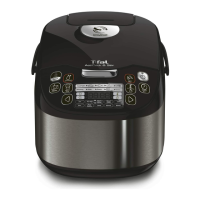
• Press the “Menu” key to select the function “Stew/Slow Cook”. The screen
displays the default cooking time, and the “Start” light flashes red. Then
press “<” or “>” to select the food type: Vegetables, Fish, Poultry or Meat.
• Press the “Temperature / Timer” key to activate the time setting
function and then press “<” and “>” to change the cooking time. Press
“Temperature / Timer” again to change the temperature by pressing “<”
and “>”.
• “Stir” lights up. Press the “Stir” key to turn off the “Stir” function. Press it
again to activate it. If no action is taken before cooking starts, the stirring
function automatically stays on.
• Press the “Start” key. The multicooker starts the “Stew/Slow Cook”
cooking program and the “Start” light comes on. The screen displays the
remaining cooking time.
• At the end of the cooking process, the multicooker “beeps” three times
and begins the keep warm program, the “Keep Warm” indicator comes
on and the screen displays the time for which the keep warm function
has been active.
SAUTÉ FUNCTION
• Press the “Menu” key to select the “Sauté” function. The screen displays
the default cooking time and the “Start” light flashes red. Then press
“<” or “>” to select the food type: Vegetables, Fish, Poultry or Meat.
• Press the “Temperature/Timer” key to activate the time setting
function and then press “<” and “>” to change the cooking time. Press
“Temperature/Timer” again to change the temperature by pressing “<”
and “>”.
• “Stir” lights up. Press the “Stir” key to turn off the “Stir” function. Press
it again to activate it. If no action is taken before cooking starts, the
stirring function automatically stays on.
• Press the “Start” key. The multicooker starts the “Sauté” cooking
program and the “Start” light comes on. The screen displays the
remaining cooking time.
• At the end of the cooking process, the multicooker “beeps” three times
and begins the keep warm program, the “Keep Warm” indicator comes
on and the screen displays the time for which the keep warm function
has been active.


 To Next Page
 Loading...