21 22
The contact you have deleted will also be removed from other applications on the phone or web the
next time you synchronize your phone.
Sharing a contact
You can share a single contact with others by sending the contact's vCard to them via Email, Messages,
and Bluetooth. Select a contact you want to share, touch and then select Share.
Available options
From the contact list, you may also make further settings by touching .
Settings
• My info Touch to set up your profile
• Accounts Touch to add account and configure related info.
• Default account for
new contacts
Touch to choose the default place to save a new contact.
• Contacts to display Choose contacts to display.
• Sort by Touch to sort the list by the first name or last name.
• Name format Touch to choose whether to display first name first, or last name first.
• Phonetic name Touch to choose display or hide phonetic name.
• Import/Export Import or export contacts between phone, SIM card, microSD card and phone
storage, etc.
• Block numbers Add numbers here so that you won't receive the calls or texts from them.
• About Contacts Touch to view the build version, open source licenses and so on.
4.3 Messages ...........................................................................................
Use the messaging app to send and receive text (SMS) and multimedia (MMS) messages.
Creating a message
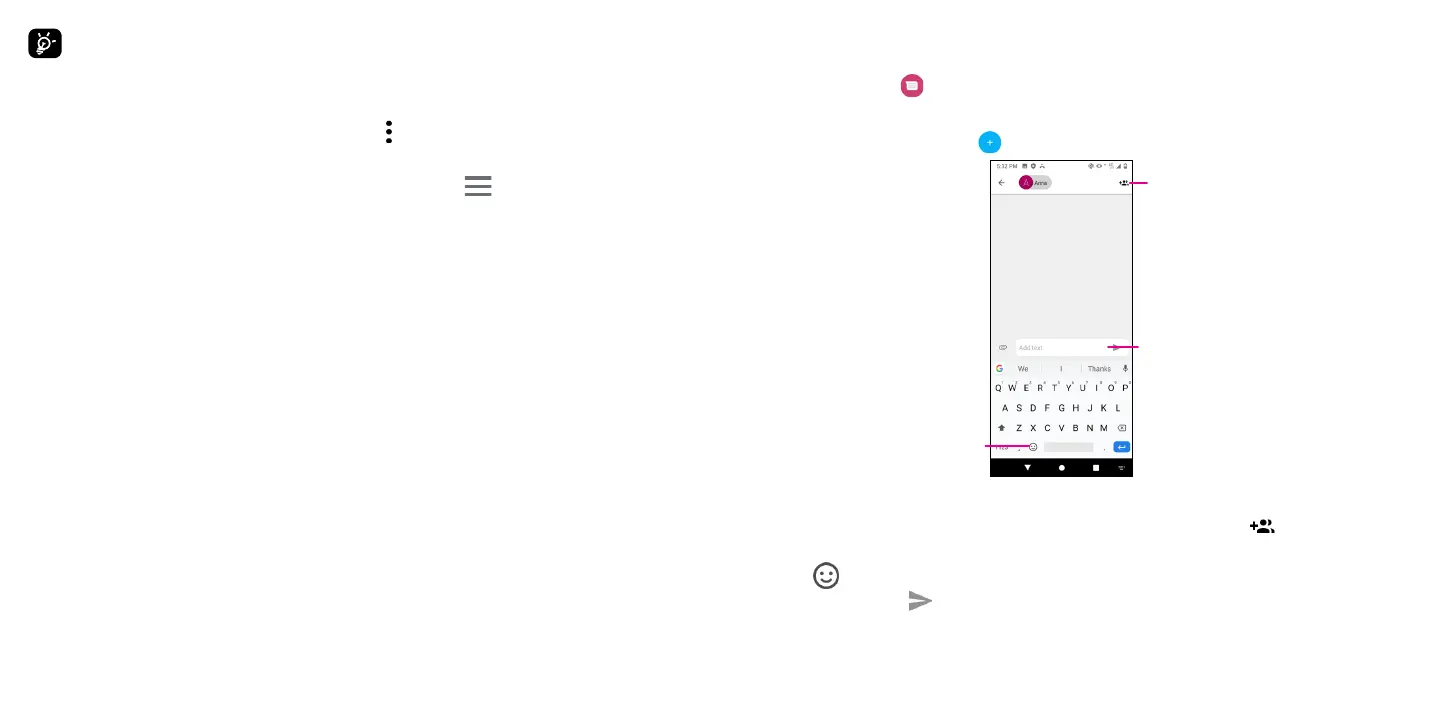
On the Messaging list screen, touch to write text/multimedia messages.
Type the text message
Insert emoticons
Add recipients
Sending a text message
• Enter the name or the phone number of the recipient in the To bar or touch to add recipients.
• Touch the Add text bar to enter the text of the message.
• Touch to insert emoticons.
• When finished, touch to send the text message.
An SMS message of more than 160 characters will be charged as several SMS. A counter will be on the right
of the text box to remind you how many characters can be entered in one message.



 To Next Page
 Loading...









