EasyManua.ls Logo

T-Mobile Sonic 2.0 - User Manual

T-Mobile Sonic 2.0
11 pages
Print Icon
To Next Page IconTo Next Page
Loading...
1
Question and Answer IconNeed help?

Do you have a question about the T-Mobile Sonic 2.0 and is the answer not in the manual?

Summary

GETTING TO KNOW YOUR MOBILE HOTSPOT

Device Component Identification

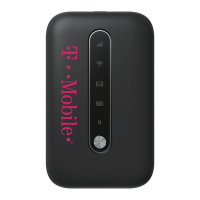
Labels and identifies the physical parts of the mobile hotspot device.

INDICATORS

Reset and System Indicators

Explains the reset point and various icons indicating network status and signal strength.

SET UP YOUR SONIC 2.0 MOBILE HOTSPOT

Initial Setup Procedures

Guides users through removing the cover, installing the SIM card and battery, and powering on the device.

Charge your Mobile HotSpot

Charging the Hotspot

Details the methods for charging the mobile hotspot using a wall outlet or USB cable.

CONNECT & GO

Connecting Wi-Fi Devices to the Hotspot

Provides step-by-step instructions for connecting Wi-Fi enabled devices to the hotspot.

Managing Your Sonic 2.0 Hotspot

Accessing WebConnect Interface

Explains how to access the WebConnect interface via a web browser or companion application.

Change WebConnect Admin Password

Details the process for changing the administrator password for the WebConnect interface.

Change Hotspot Network Name (SSID)

Guides users on modifying the Wi-Fi network name (SSID) broadcast by the hotspot.

Change Hotspot Wi-Fi Password

Outlines the steps to change the Wi-Fi password for the hotspot connection.

ADDITIONAL INFORMATION

Wi-Fi, Data Usage, and Plan Details

Covers terms related to Wi-Fi security, data usage, and various mobile broadband plan options.

Service Coverage and Trademarks

Provides information on service availability, coverage maps, and official trademarks.

ADDITIONAL HELP

Accessing Admin Page and User Manual

Offers the URL and IP address to access the hotspot's admin page and locate the user manual.

Summary

GETTING TO KNOW YOUR MOBILE HOTSPOT

Device Component Identification

Labels and identifies the physical parts of the mobile hotspot device.

INDICATORS

Reset and System Indicators

Explains the reset point and various icons indicating network status and signal strength.

SET UP YOUR SONIC 2.0 MOBILE HOTSPOT

Initial Setup Procedures

Guides users through removing the cover, installing the SIM card and battery, and powering on the device.

Charge your Mobile HotSpot

Charging the Hotspot

Details the methods for charging the mobile hotspot using a wall outlet or USB cable.

CONNECT & GO

Connecting Wi-Fi Devices to the Hotspot

Provides step-by-step instructions for connecting Wi-Fi enabled devices to the hotspot.

Managing Your Sonic 2.0 Hotspot

Accessing WebConnect Interface

Explains how to access the WebConnect interface via a web browser or companion application.

Change WebConnect Admin Password

Details the process for changing the administrator password for the WebConnect interface.

Change Hotspot Network Name (SSID)

Guides users on modifying the Wi-Fi network name (SSID) broadcast by the hotspot.

Change Hotspot Wi-Fi Password

Outlines the steps to change the Wi-Fi password for the hotspot connection.

ADDITIONAL INFORMATION

Wi-Fi, Data Usage, and Plan Details

Covers terms related to Wi-Fi security, data usage, and various mobile broadband plan options.

Service Coverage and Trademarks

Provides information on service availability, coverage maps, and official trademarks.

ADDITIONAL HELP

Accessing Admin Page and User Manual

Offers the URL and IP address to access the hotspot's admin page and locate the user manual.

T-Mobile Sonic 2.0 Specifications

General IconGeneral
ModelT-Mobile Sonic 2.0
TypeMobile Hotspot
Frequency Band2.4GHz, 5GHz
Battery LifeUp to 8 hours
SIM Card TypeStandard SIM
Max Wi-Fi UsersUp to 8
Battery1800 mAh
Ethernet Ports0
USB Ports1 micro USB
4G LTE Bands2, 4, 12
Security FeaturesWPA2

Related product manuals