T‐MobileT9HotspotBasics
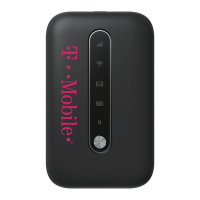
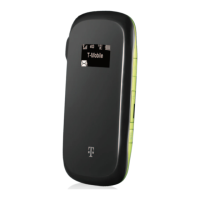
Withineachboxtherewillbeachargerandahotspot
witharedandwhitePasoRoblesJointUSDproperty
stickeronit.ThepropertystickerhastheWIFInetwork
name(IT‐0000xxxxx).Thisnamewillbeneededto
connecttheChromebooktothehotspot.
Thehotspotpowerbuttonislocatedinthemiddleof
thehotspotjustbelowthescreen.
Thehotspotchargingportislocatedontherightside
oftheunit.Thehotspotmustbechargedforuse.
Howtouseyourhotspot:
1. Pushthehotspotpowerbuttonfor5seconds
toturnthehotspoton.Thehotspotwillread
Welcomewhenitispoweringon.Pleasewait
uptooneminuteforthehotspottocompletely
poweron.
2. PowertheChromebookon.
3. AttheChromebookloginscreenclickthetaskbarin
thebottomright‐handcornertobringupthe
Settingsmenu.Next,clickthenetworkselection
menuintheupperleft‐handcornerofthemenu.
Thenetworkselectionmenuwillappearwith
availablenetworks.

 Need help?
 General

 To Next Page