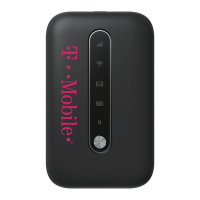
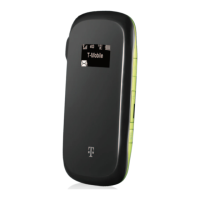
4. ClickonthecorrespondingWIFInetworkthat
islistedonhotspotsticker(IT‐0000xxxxx).
5. TheJoinWIFInetworkscreenwillthenappear.
EnterthepasswordintothePasswordfield.
Thepasswordtothehotspotisbearcats.
6. NowclicktheblueConnectbuttontoconnect
theChromebooktothehotspot.
7. Congratulations!You’vesuccessfullyconnected
thehotspottotheChromebook.
Toshutoffthehotspotafteritisdonebeingused,simplypressthepowerbuttononthehotspot
for5seconds.ThehotspotwillreadGoodbyewhenitisshuttingdown.
Pleasedonotdisassemble,tamperwith,orattempttoresetyourhotspot.Doingsocould
causeittobeinoperable,requiringreplacementandachargetoyoutoreplace.
Ifyouhaveanyquestionsorneedtechnicalsupport,pleasecontactourTechSupport
English‐techhelp@pasoschools.orgTextorcall805‐769‐4603
Español‐techhelpespanol@pasoschools.orgTextorcall805‐769‐4602



 To Next Page