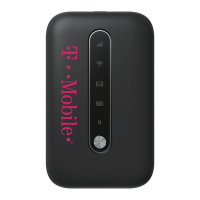
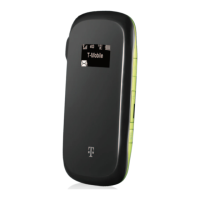
4.
HagaclicenlaredWIFIcorrespondienteque
apareceenlaetiquetadelHotspot(IT‐
0000xxxxx).
5. AparecerálapantallaJoinWi‐FIUnirsealared
WIFI.Introduzcalacontraseñaenelcampo
Contraseña.LacontraseñadelHotspotes
bearcats.
6. 6.AhorahagaclicenelbotónazulConnect
ConectarparaconectarelChromebookal
Hotspot.
7. 7.¡Felicitaciones!Haconectadoconéxitoel
HotspotalChromebook.
ParaapagarelHotspotdespuésdequehayaterminadodeusarse,simplementepresioneel
botóndeencendidoenelHotspotdurante5segundos.ElHotspotleerá“Goodbye”Adiós
cuandoseestéapagando.
Nodesmonte,manipuleniintenterestablecersuHotspot.Silohace,podríadejarde
funcionar,loquerequeriríaunreemplazoyuncargoparausted.
Sitienealgunapreguntaonecesitasoportetécnico,comuníq ueseconnuestroSoportetécnico
English‐techhelp@pasoschools.orgTextorcall805‐769‐4603
Español‐techhelpespanol@pasoschools.orgTextorcall805‐769‐4602



 To Previous Page