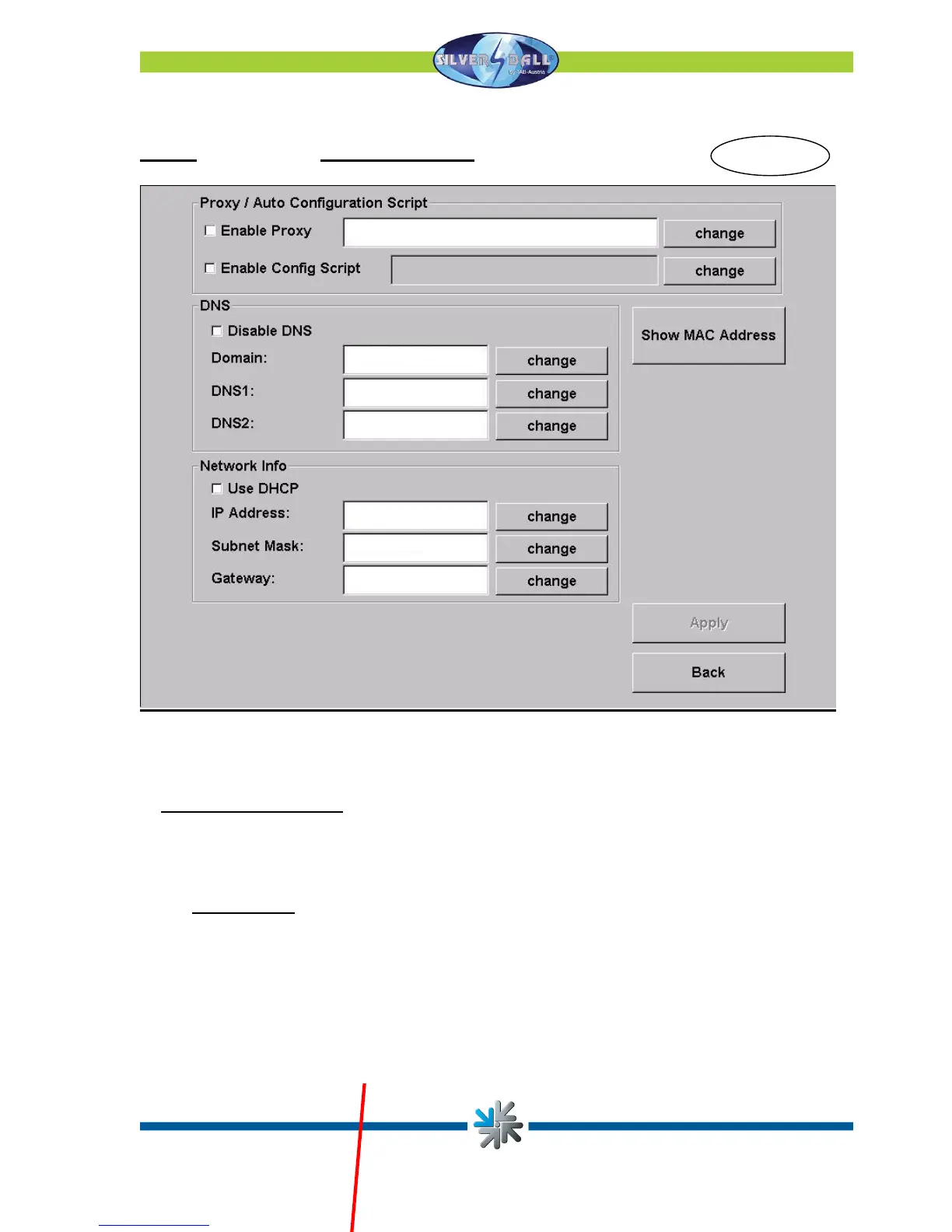
Page 2 of the Provider Connection menu:
Page 31
This is where you may make your Internet settings. Contact your Internet provider or your
network administrator should the settings not function.
• Silverball Max Terminal
If you want to operate the Silverball Max as Silverball Selection Terminals in the network,
activate Enable Max Terminal and enter an IP address outside the IP range at IP Pool
Starting Address and IP Pool Ending Address.
For example:
Your router’s starting address is 100 and its ending address is 199. You can see
your IP address, which might be 192.168.123.199. Now enter the IP address in SB-
MAX-IP as follows: 192.168.123.200. The last number is beyond the range and is
now recognized as the Selection Terminal. This address must also be entered in all
other Silverball Selection Terminals as the address.
The machine must be registered when all the settings have been completed.
Fi


 To Next Page