4
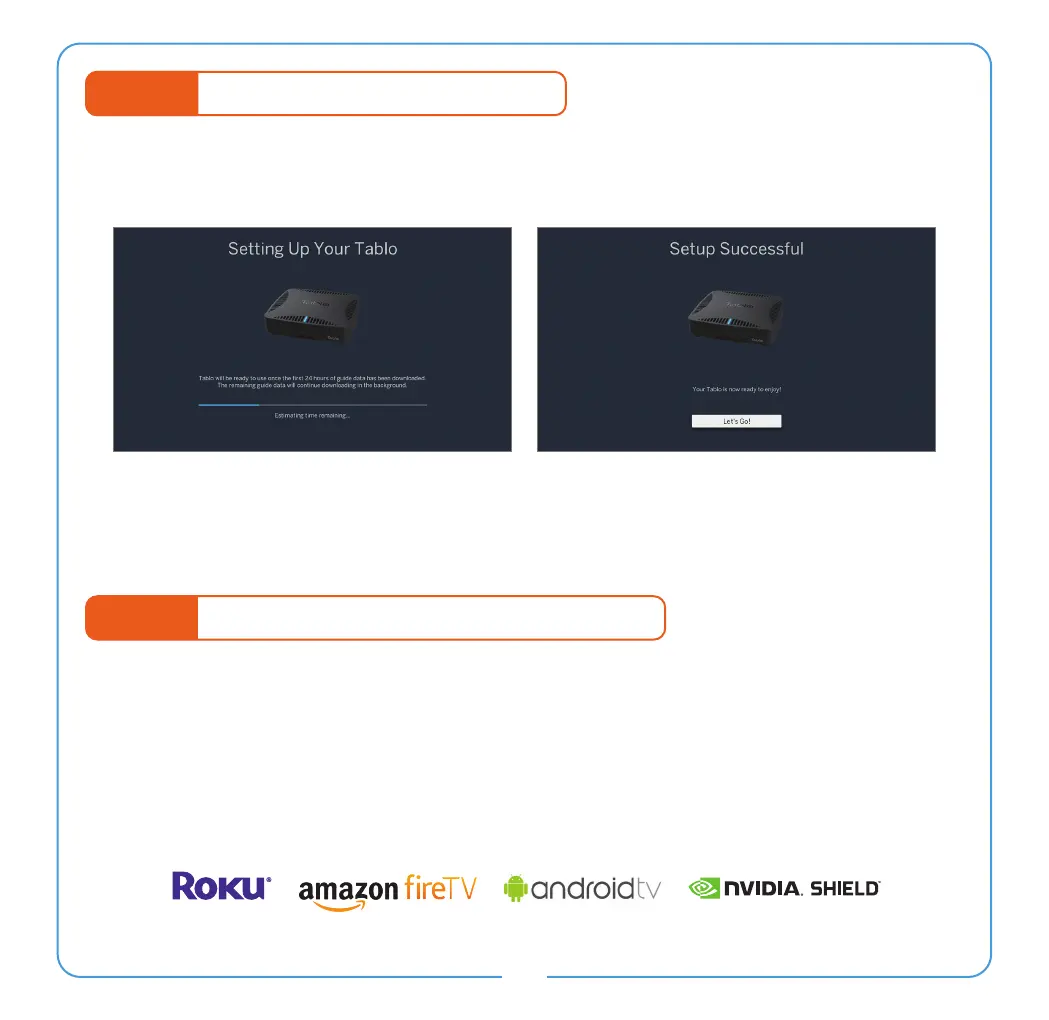
STEP 5 Program Guide Data Download
Once you select ‘Continue’ the rst 24 hours of the program guide will begin to download.
This process will take several minutes per channel.
Your Tablo DVR is now ready to enjoy!
Missing or incorrect guide data? Visit www.TabloTV.com/guide for help.
STEP 6 Connecting Additional Playback Devices
Tablo DUAL HDMI DVRs also support in-home streaming of live and recorded TV via select
Smart TVs and streaming devices.
In order to enjoy Tablo content on those devices, you will need to download the appropriate
Tablo app and follow the on-screen prompts to connect it to your Tablo DUAL HDMI DVR.
Note: Streaming to additional televisions requires a very strong home WiFi network to avoid buffering.


 To Next Page