

EasyManua.ls Logo

TACENS MARS GAMING - User Manual

TACENS MARS GAMING
12 pages
Print Icon
To Next Page IconTo Next Page
Loading...
Question and Answer IconNeed help?

Do you have a question about the TACENS MARS GAMING and is the answer not in the manual?

Summary

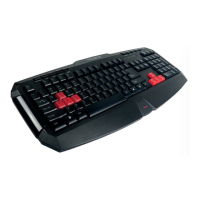
Features (keyboard)

Features (software)

Specifications (keyboard)

Connecting to the PC

USB Connection Guide

Steps for connecting the keyboard to a computer via USB.

Installing the software

Software Installation Process

Procedure for installing the keyboard customization software from the CD.

The configurator

Main window

Overview of the main window interface and its components.

Programming the keys

Button assignment

Assigning any other key function to a specific key via the configurator.

Macro manager

Macro Configuration

How to assign custom macros to keyboard keys.

Mouse functions

Mouse Button Assignment

Assigning mouse button actions to keyboard keys.
Profile switch

Additional functions

TACENS MARS GAMING Specifications

General IconGeneral
BrandTACENS
ModelMARS GAMING
CategoryKeyboard
LanguageEnglish