7
8.3.2 Macro manager
8.3.3 Mouse funcons
á
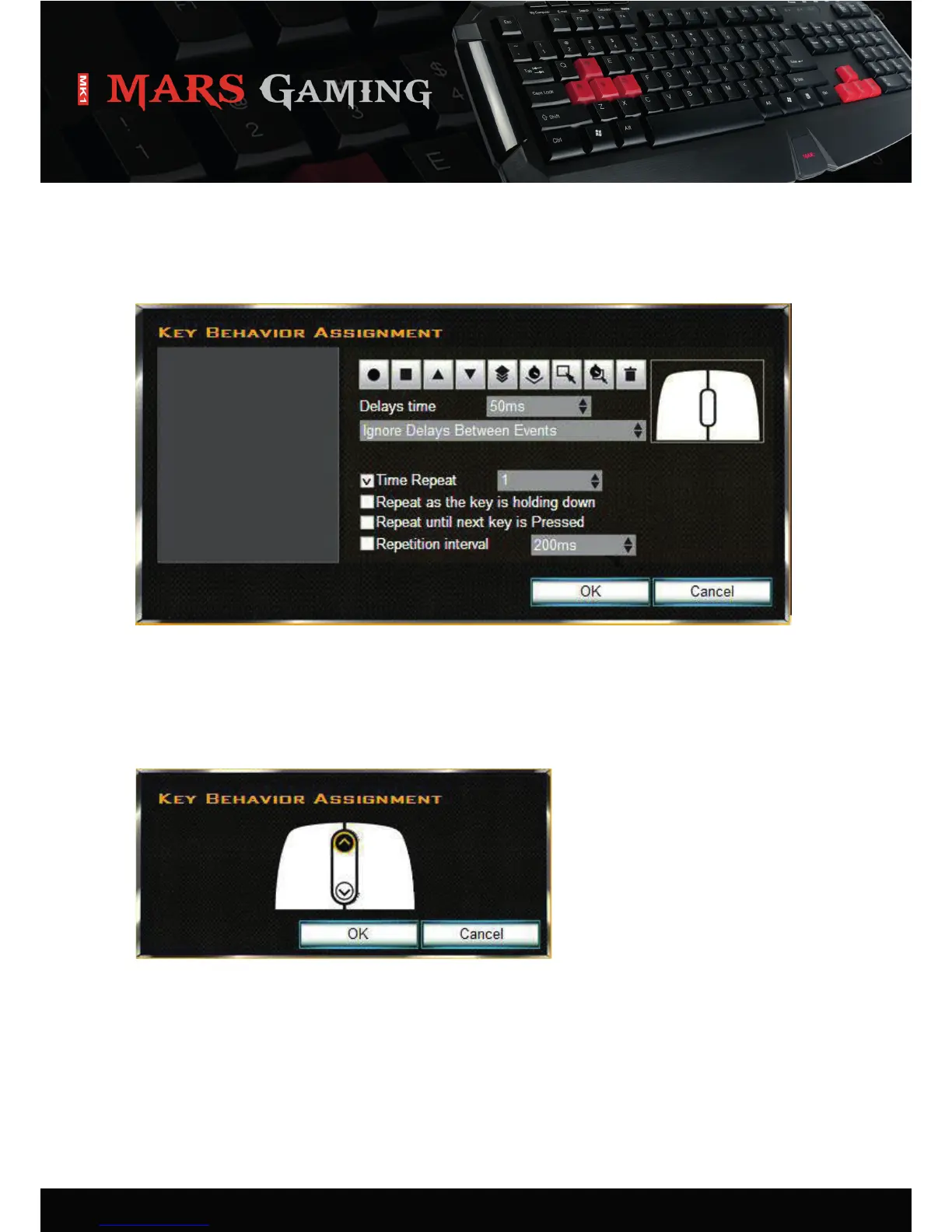
Each key can be assigned a macro using the configurator:
1. Select “Macro” from the dropdown menu (see 8.3). The following window will appear:
2. Define the macro.
3. Click “OK” to confirm your selecon or “Cancel” to discard it.
Each key can be assigned a mouse funcon using the configurator:
1. Select “Mouse Buon” from the dropdown menu (see 8.3). The following window will appear:
2. Select the desired mouse buon/funcon, which shall be assigned to the selected key.
3. Click “OK” to confirm your selecon or “Cancel” to discard it.


 To Next Page