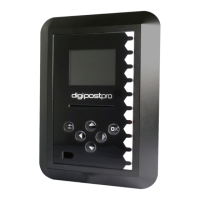
Configuration Menu
Configuration MenuConfiguration Menu
Configuration Menu
Page - 12
Modem (3G/GPRS) Settings
Refer to your mobile provider for the following information:
• APN
• User
• Password
• PIN (SIM dependent)
Refer to ‘How to type and set conguration options’ on Page 9 for
details on how to change characters in each entry.
File System - Files
To see what les are on the device in List view, select
the Files option in the Files System menu. The list view
gives you limited le information (Driver Name, Driver
Card Number, date and time of VU download). Further analysis of
those les on the digipostpro is not available through the
conguration menu, only immediately after the card has been
read (please see pages 15-16 for more information).
By pressing OK on a specic le, this gives you the option to
delete it or view further options.
Delete File
Use this option with caution as if you have not
uploaded les to the main server they will be
permanently lost. If you want to delete the le, press
the OK button. You will then receive a message asking whether
you are sure you want to delete the le. Choose the green tick and
press OK to conrm deletion.
Configuration Menu
Configuration MenuConfiguration Menu
Configuration Menu
Page - 13
File Options
Choose File Options in order to change the archive
status of les (check/uncheck the box by using the left/
right buttons - press
to save and return to the
previous menu). Unchecking an archived le will force it to be
sent to the server again at the earliest opportunity. Unarchived
or unmarked les represent those that have not yet been sent to
the server or those which will be sent again.
Delete All
Use this option with caution as if you have not uploaded
les to the main server they will be permanently lost.
From the main File System menu, you are also given the
option of deleting all les from the device. To do so, press the OK
button. You will then receive a message asking whether you are
sure you want to delete all les. Choose the green tick and press
OK to conrm deletion.
Analysis
In the Analysis menu you are given options for the
information which will be displayed when analysing a
driver card on the digipostpro.
Enable Analysis: Use this option to enable or disable analysis of
driver cards at the end of the driver card upload process.
Working Time: When this option is enabled, the digipostpro will
display working time infringements.
POA as Break: Set POA (Period of Availability) as break as on or o
depending on how this applies in your region.


 To Next Page
 Loading...