Maintaining and Transferring Files
Maintaining and Transferring FilesMaintaining and Transferring Files
Maintaining and Transferring Files
Page - 16
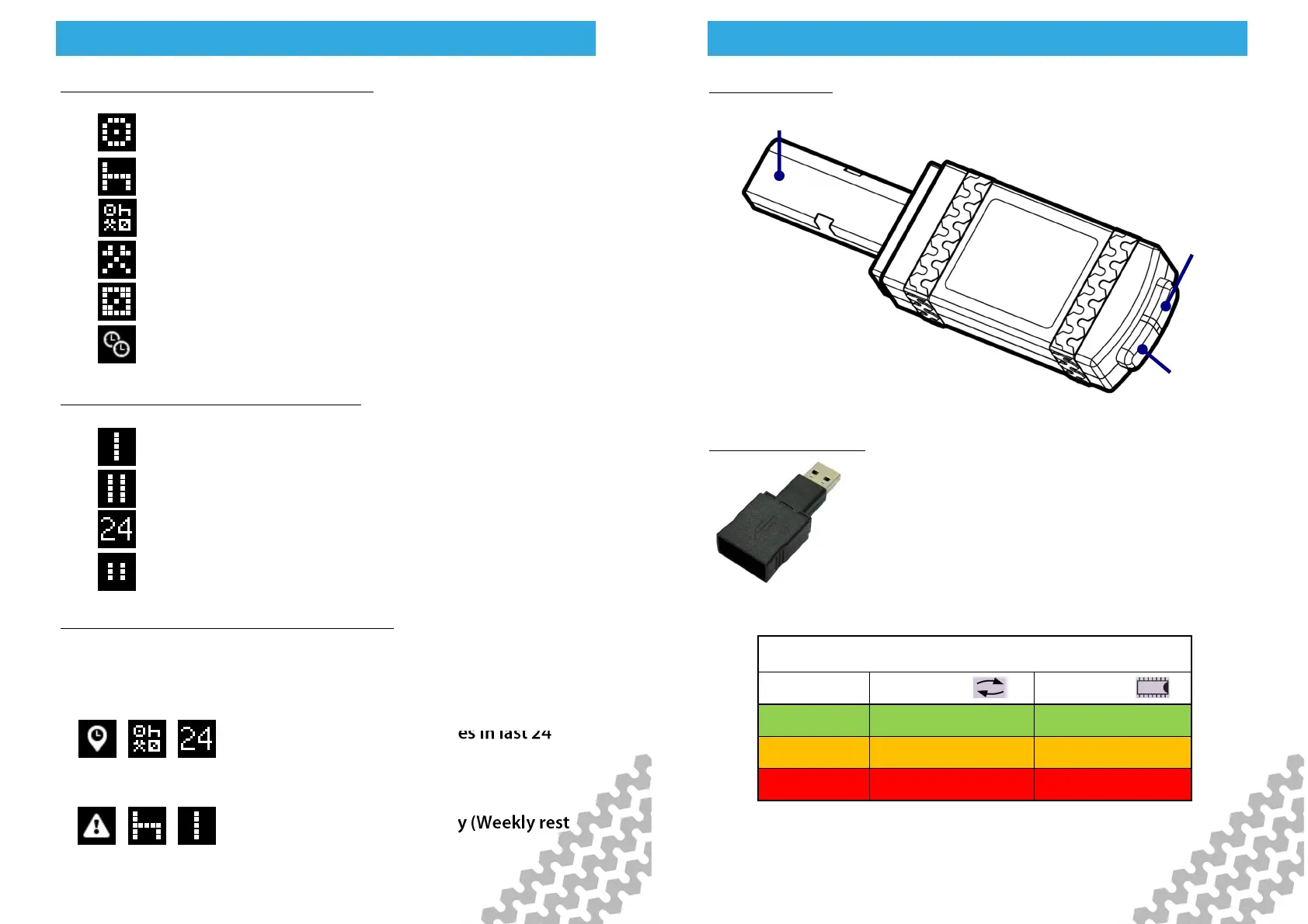
Second level Driver Card Analysis icons
Third Level Driver Card Analysis icons
Putting analysis icons together (example)
The three levels of icon used in the driver card analysis are put
together to give an at a glance view of summarised data. For
example;
= Latest summary for all modes in last 24
hours.
= Infringement - Rest - Weekly (Weekly rest
infringement)
Drive
Rest
All modes; Drive, Rest, Work, POA.
Work
Availability
Time overlap
Weekly
2 Weekly
Within 24 Hours.
Break
Maintaining and Transferring Files
Maintaining and Transferring FilesMaintaining and Transferring Files
Maintaining and Transferring Files
Page - 17
Memory
Indicator
Activity
Indicator
digivu Controls
digivu USB adaptor
Your digivu may be supplied with a USB
adaptor. This enables the digivu to be directly
connected to a PC so is not for use with the
digipostpro. You can download digiconnect
from Tachosys.com should you wish to
congure your digivu using this method.
VU Connection
Plug
Activity Memory
Green Complete < 75% full
Amber Active 75% full
Red Fault 100% full
Key to digivu LEDs


 To Next Page