11
SETTING UP THE CAMERA
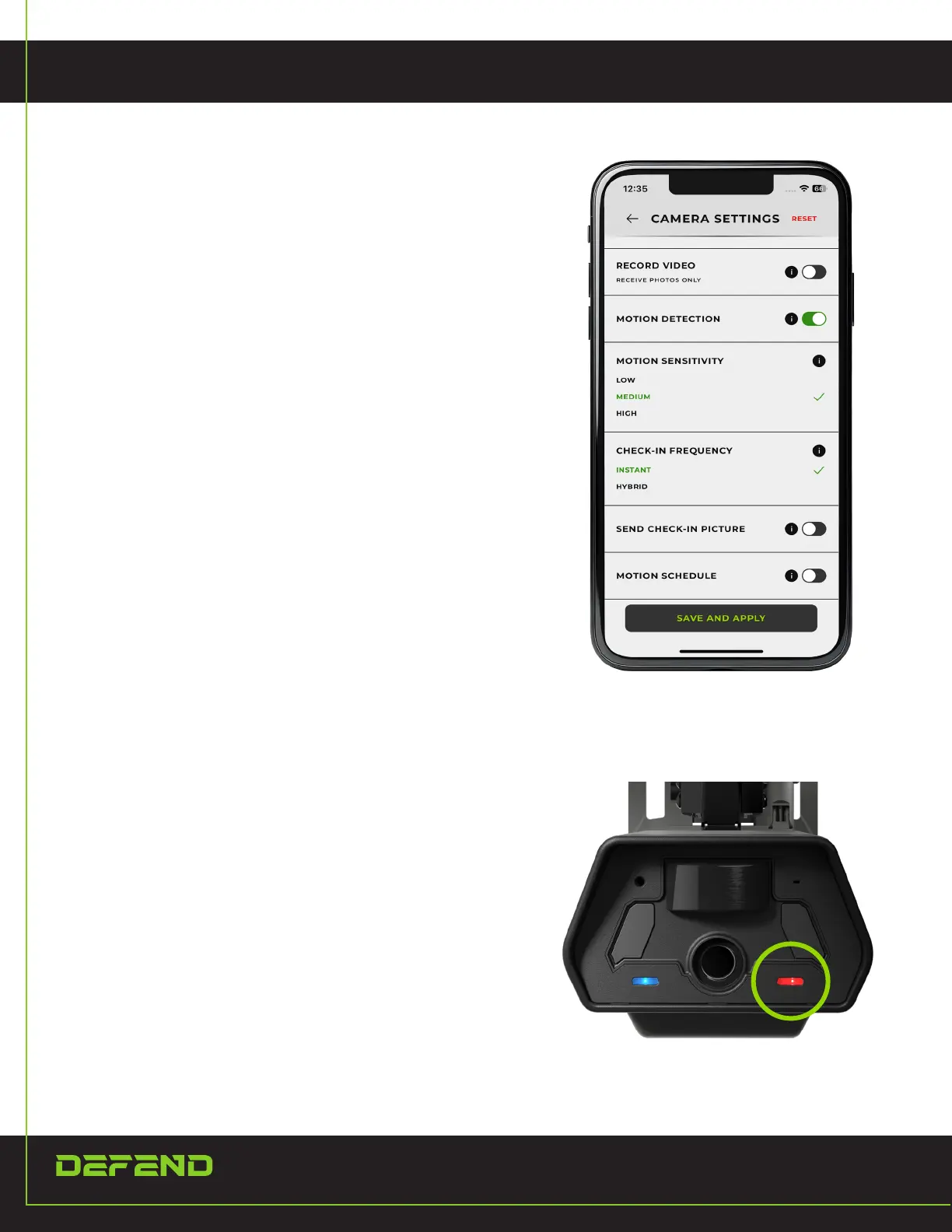
From the Cameras page, choose the camera you want to
view and select “Camera Settings” from the menu. Make
sure to select “Save and Apply” when done to save your
changes.
1. When the signal is acquired and the camera is in
setup mode, there will be a blinking red light on
the connectivity light (right light). Then, press the
test button on the back and check your Defend app
to make sure the photo was sent. This could take
a minute to transmit through the network.
REMOTELY CHANGE THE CAMERA
SETTINGS FROM THE APP
SENDING A TEST PICTURE


 To Next Page