6
TACTACAM.COM
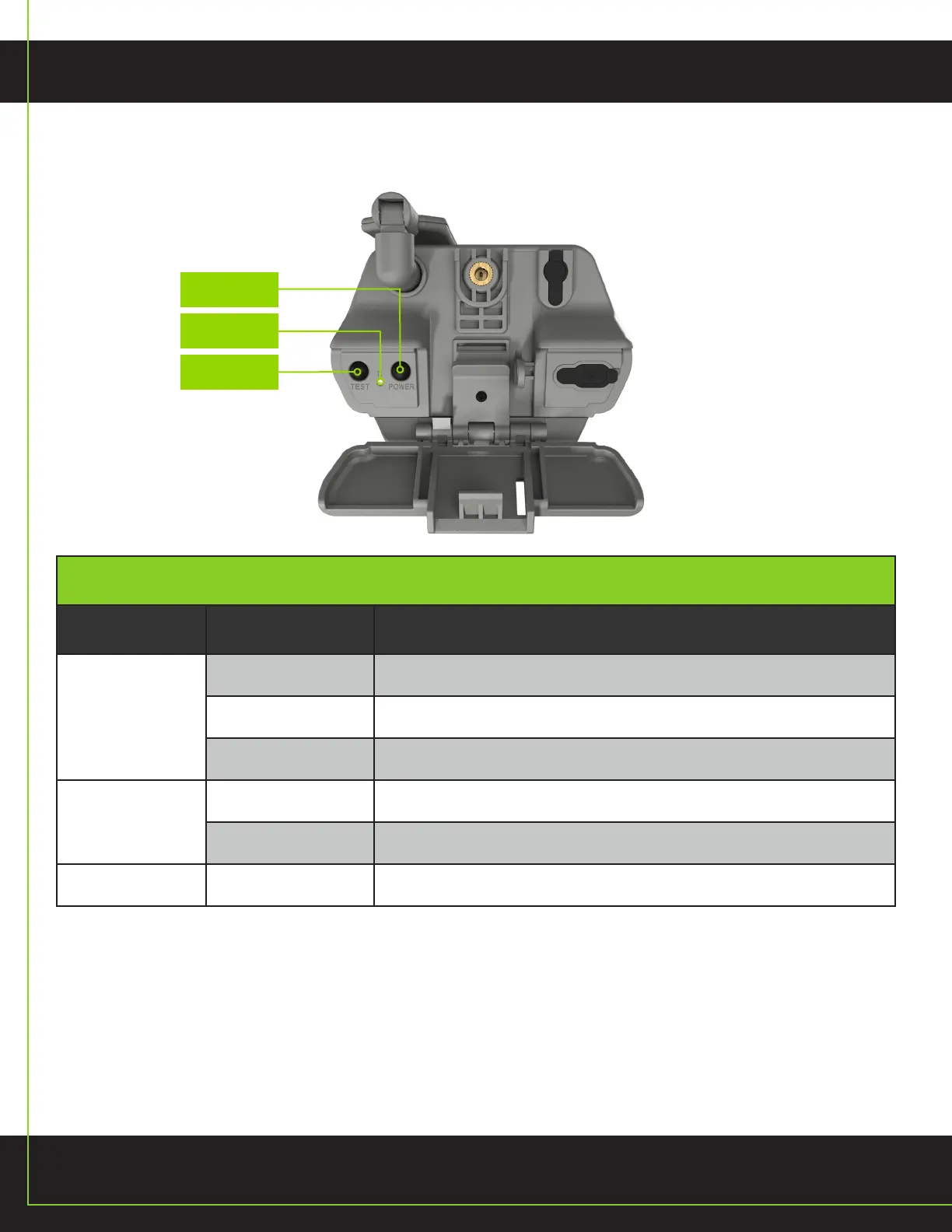
BUTTONS
*Upon startup, the device will enter Setup Mode for two minutes and automatically enter Work Mode after.
CAMERA CONTROLS
Key Name When In Key Function
Power Key
Off Mode Press 1s to power on device to setup mode
Work Mode Press 1s to enter setup mode
Setup Mode Press 1s to power off device
Test Button
Setup Mode Short press 1s to capture picture and send to server
Work Mode Short press 1s to boot device and capture picture and send to server
Reset Button Setup Mode Long press 10s to perform factory reset
POWER
RESET
TEST


 To Next Page