7
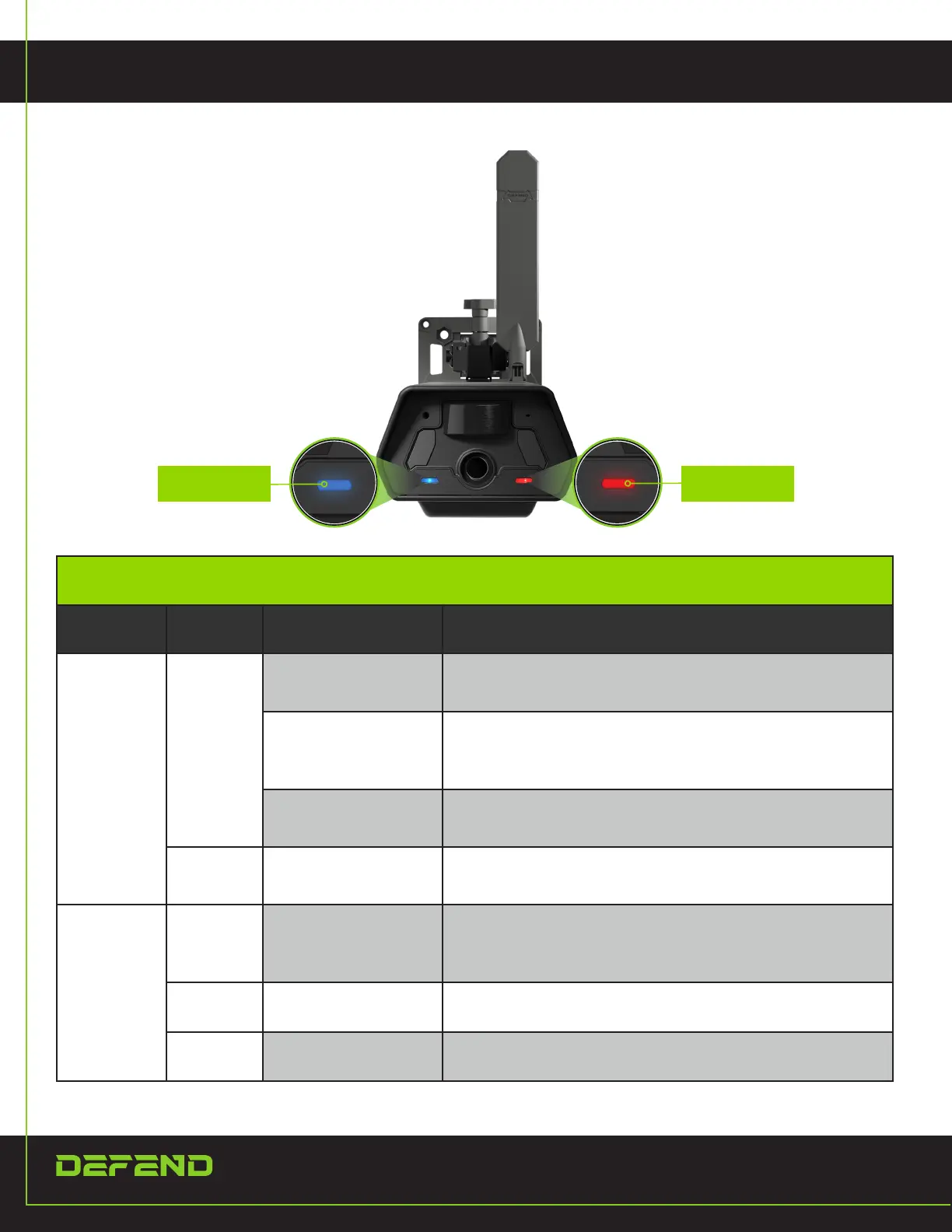
LIGHTS
STATUS SIGNAL
INDICATOR GUIDE
LED NAME COLOR INDICATION DESCRIPTION
STATUS
GREEN
POWER ON
When rst powered on, the GREEN LED turns on before
changing BLUE
LOW BATTERY
When the battery is low, the GREEN LED will stay on in
WORK mode. In SETUP mode, both the GREEN and BLUE
LED's will be on.
POWER OFF
The GREEN LED blinks 3 times as the device powers of
from SETUP mode.
BLUE SETUP MODE
The BLUE LED indicates SETUP mode status. After going
into WORK mode, the BLUE LED will turn off.
SIGNAL
RED
CELLULAR
CONNECTION
Upon connection to the cellular network while in SETUP
mode, the RED LED will blink at 1-sec intervals. It will turn
off in WORK mode.
GREEN BLUETOOTH STATUS
Brief GREEN LED when using Bluetooth to achieve Wi-Fi
pairing.
BLUE Wi-Fi STATUS
BLUE LED blinks with 1s intervals when device Wi-Fi is
connected to phone.


 To Next Page