Decision of an embroidery design and the color change sequence
47
Chapter 4
1
2
3
4
5
6
7
8
9
10
11
UO04
4. Decision of an embroidery design and the color change sequence
4-1. To decide embroidery design (Data Setting)
Select the design in the machine memory and enable to embroider.
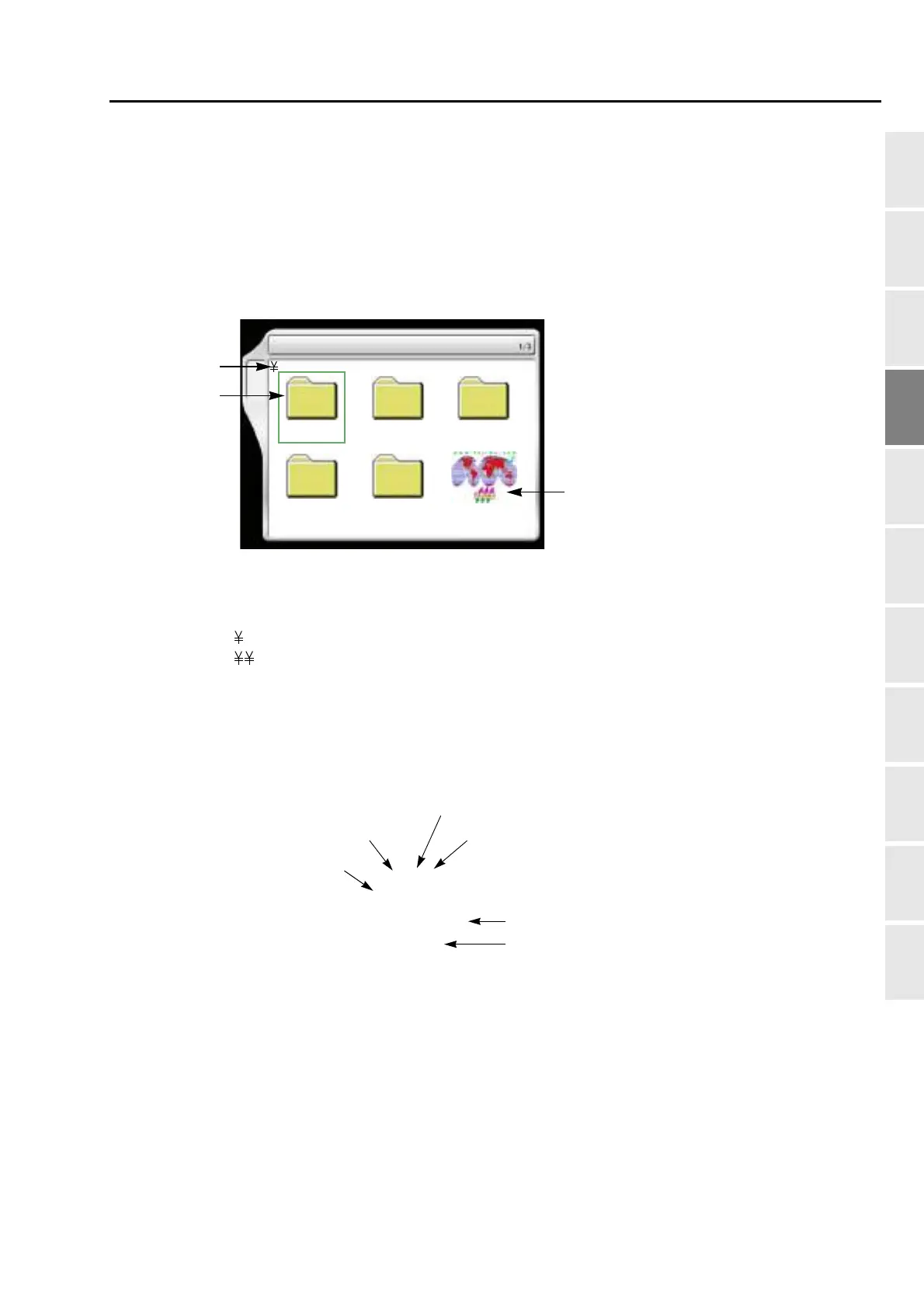
4-1-1. Explanation on the screen
[a] Folder layer
The root folder and folder on the first level of the machine memory can be displayed.
[b] Folder
Folder name can be changed.
[c] Design registered in the machine memory
1 Data Input (Memory)
A
Group 1 Group 2 Group 3
Group 5Group 4
4
******
****
***
[c]
[b]
[a]
The capacity of the machine memory is
200 designs at the maximum (up to
2,000,000 stitches).
Group 1
: Root folder
: Folder Group 1 to 5 (First level)
Design name (up to 8 characters)
Total stitch number of design
File name
G001.TCF
TAJIMA_W
14117
2[CR]
Machine memory registration No.
With setting of design repetition
With setting of scaling up/down/reversion of design



 To Next Page